How we simplified email-driven BGV and exit processes in recruitment
Let’s start with a simple situation
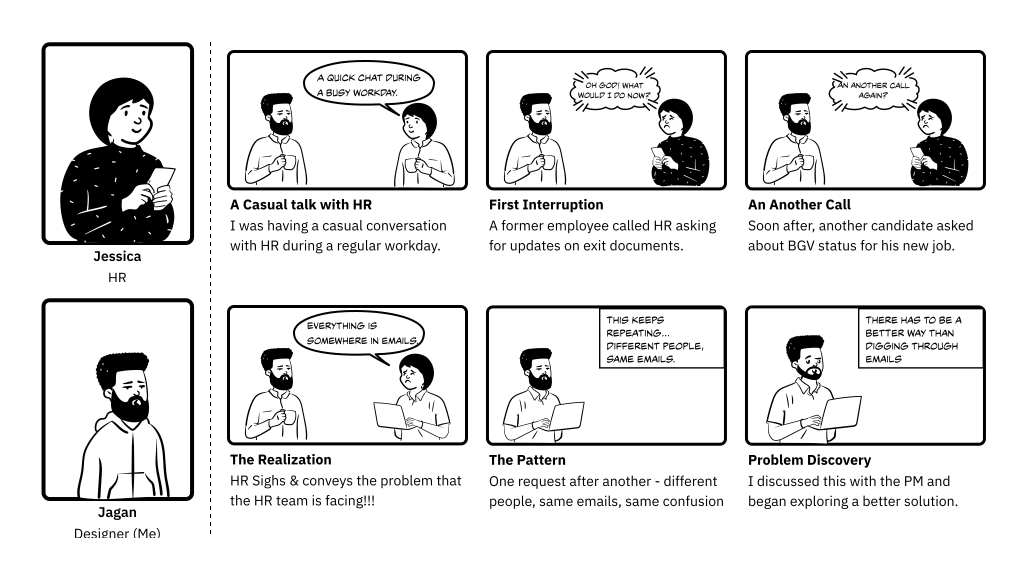
Imagine you’re an HR person trying to respond to a background verification request for an ex-employee. You open your inbox and start searching through old email threads, attachments, and follow-ups just to understand what’s already been shared.
Now imagine another HR teammate takes over the request halfway through the process. The context is lost, documents are requested again, and the same conversations start repeating.
For candidates and external HR teams, the experience isn’t any better. There’s no clear status, delayed responses, and constant back-and-forth emails just to track simple updates.
As the number of requests increased, the entire process became harder to manage and more time-consuming for everyone involved.
The Core Problems
Everything depended on emails
Most background verification and exit requests were handled through long email threads, making the process difficult to track and manage.
Nobody had clear visibility
HR teams, candidates, and external verifiers had no simple way to check request status, pending actions, or delays without following up manually.
Too much manual coordination
Teams spent a lot of time searching for documents, repeating conversations, and coordinating between multiple people just to complete a single request.
Why Solve this problem?
Exit management and background verification are critical touchpoints that directly impact business continuity, risk exposure, and employer credibility. Improving this experience ensures organizations can scale responsibly while maintaining trust with both employees and external stakeholders.
Reduce Operational Risk
Decentralized communication and document handling led to ownership gaps, duplicate actions, and lost context—especially during HR handovers—raising the risk of errors and process breakdowns.

Improve Turnaround & Efficiency
The lack of real-time status visibility and structured workflows forced HR teams to rely on manual follow-ups, slowing down verification cycles and increasing day-to-day operational effort.

Ensure Traceability & Compliance
Scattered email threads and unstructured document sharing made it difficult to track actions, maintain audit trails, and meet compliance requirements consistently.
Who are the key users in this process?
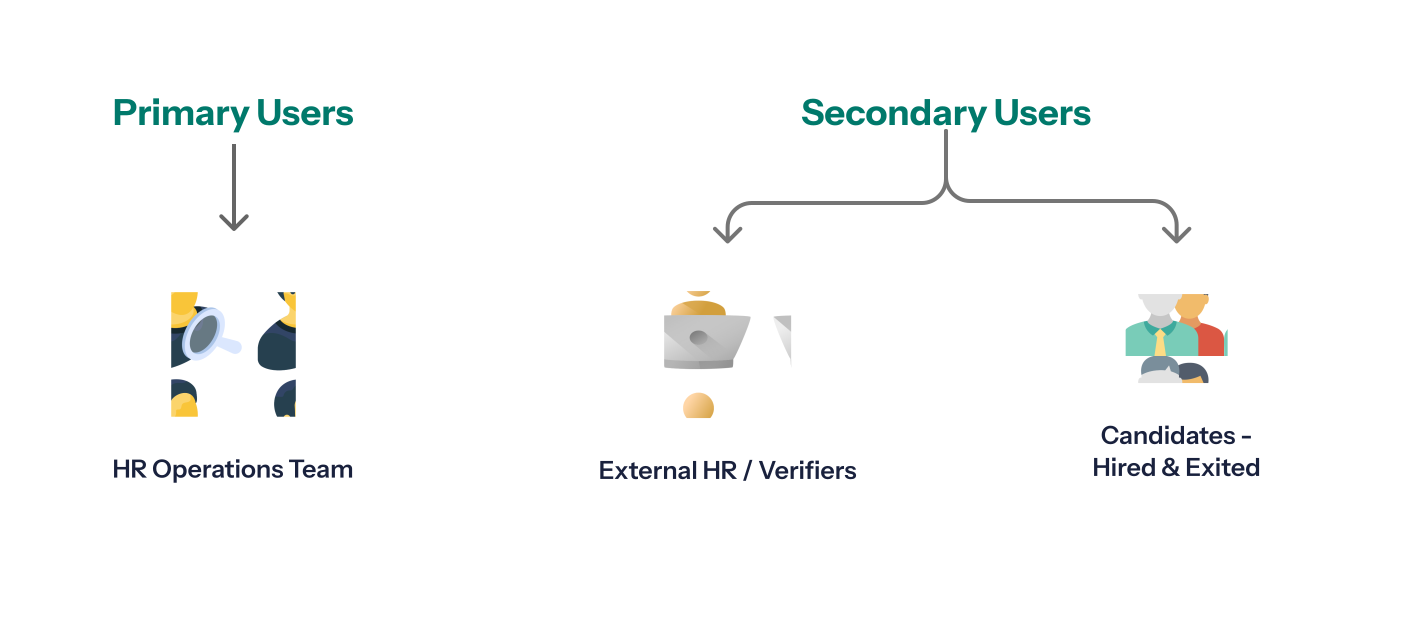
We interviewed 25 people to identify the issues.
I interviewed all the above users to understand how background verification and exit management processes were handled across organizations and to identify gaps in the existing email-based approach.
- Internal HR team members, who were directly responsible for managing exit documentation and responding to background verification requests.
- HR professionals from other organizations, leveraged through professional connections, to understand how similar processes were handled externally and to compare workflows, expectations, and best practices.
- Exited candidates, who had recently completed the exit process, to capture firsthand experiences around document requests, communication clarity, turnaround time, and overall transparency.
Most of our time goes into searching old emails
HR teams said they constantly switched between email threads and Excel sheets just to understand the current status of a request.
We had to follow up again and again for updates
Candidates and external HR teams often depended on repeated follow-ups because there was no clear visibility into request progress.
Sometimes the same documents were requested twice
When ownership changed or conversations were missed, teams lost context and repeated document requests, creating delays and confusion.
What didn’t work with the existing Process?
After speaking with users from different roles, we understood how the existing process worked in real situations. We then mapped the complete workflow to identify pain points, edge cases, and areas where users were facing delays, confusion, or repeated manual work. This helped us find opportunities to improve the overall experience with better solutions.
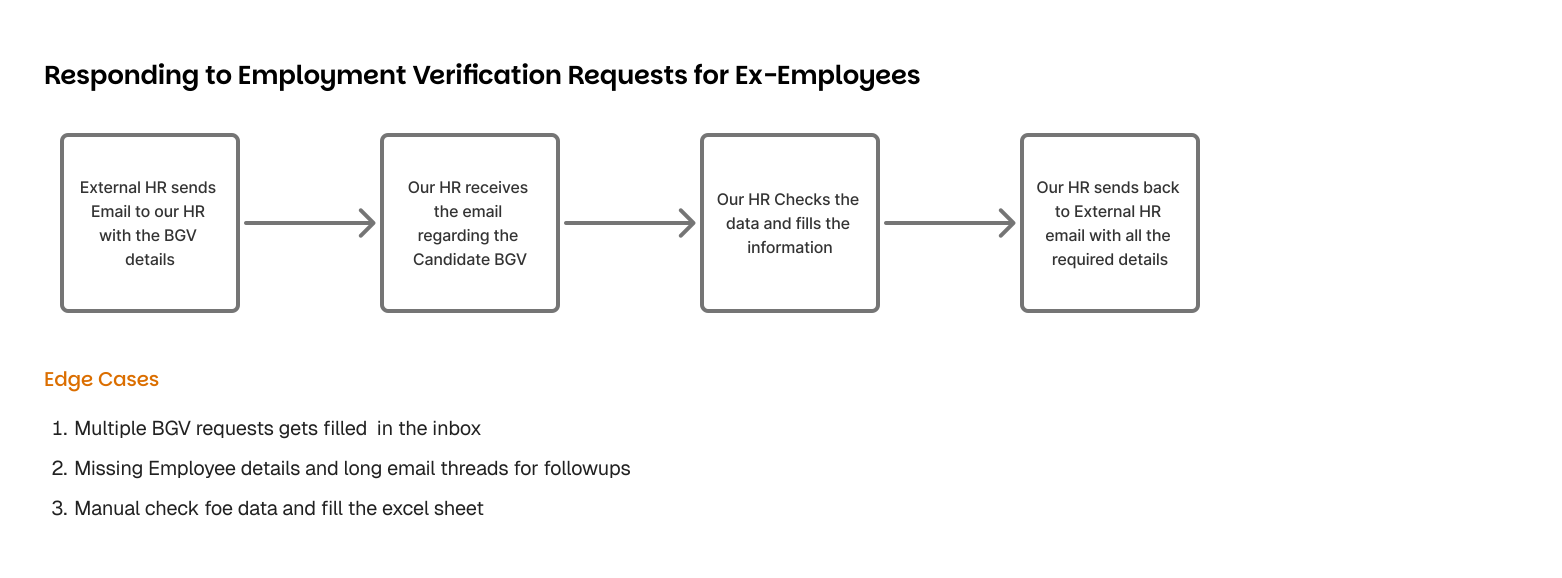
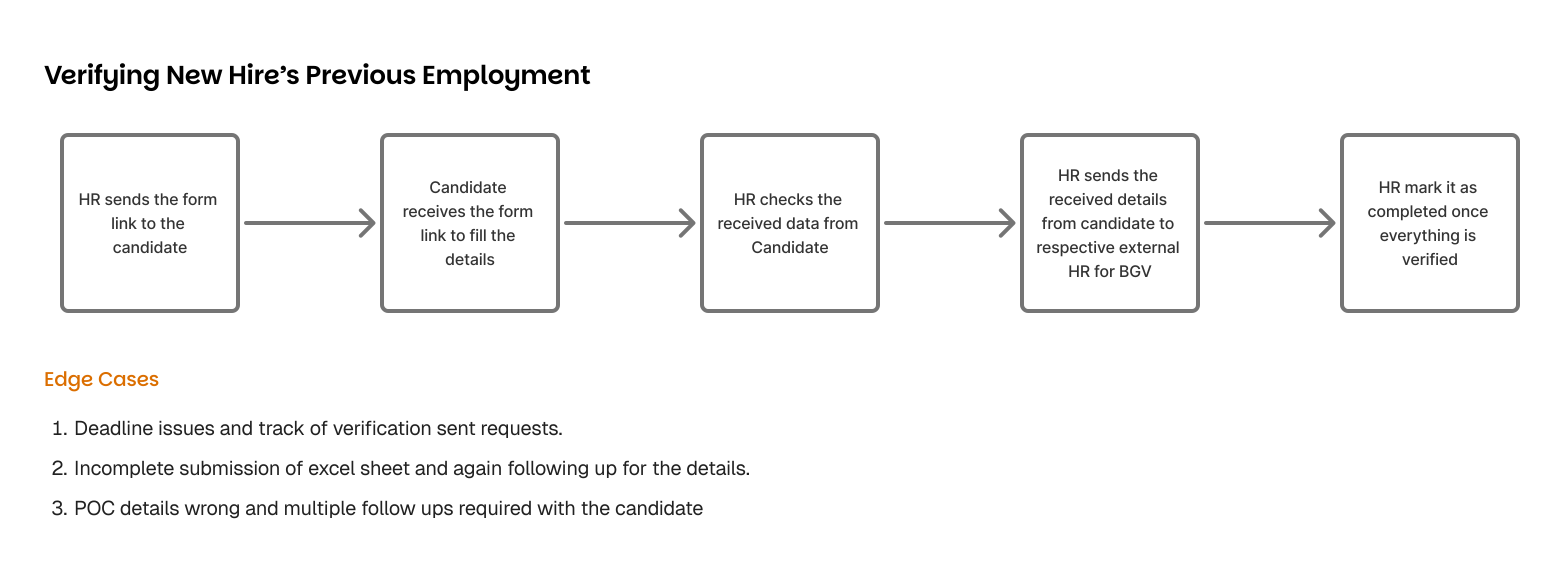
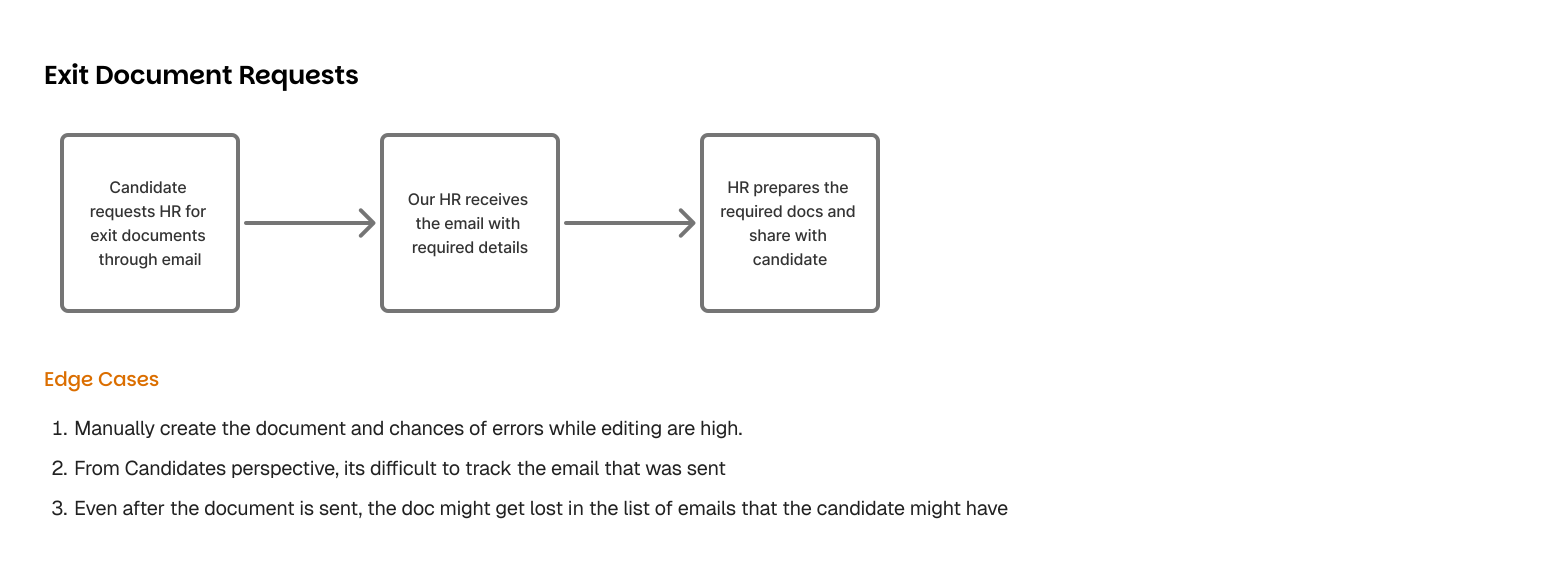
Design Sprint - bringing ideas together
After understanding the problems through research and observations, I worked closely with the Product Manager to explore possible solutions for the BGV and exit management process.
Over multiple discussions and quick brainstorming sessions, we mapped the existing workflow, identified where teams were struggling the most, and explored ways to reduce manual coordination and improve visibility across the process.
- Reduce dependency on long email conversations during verification and exit requests?
- Help HR teams track request status, pending actions, and documents more easily?
- Reduce repeated follow-ups between HR teams, candidates, and external verifiers?
Exploring different solutions
Based on the research findings and workflow mapping, I started exploring different ways to reduce email dependency and improve coordination between HR teams, candidates, and external verifiers.
Before arriving at the final product direction, we explored multiple approaches to understand what could work best for different parts of the workflow.
1/3 : Internal Notes & Comments
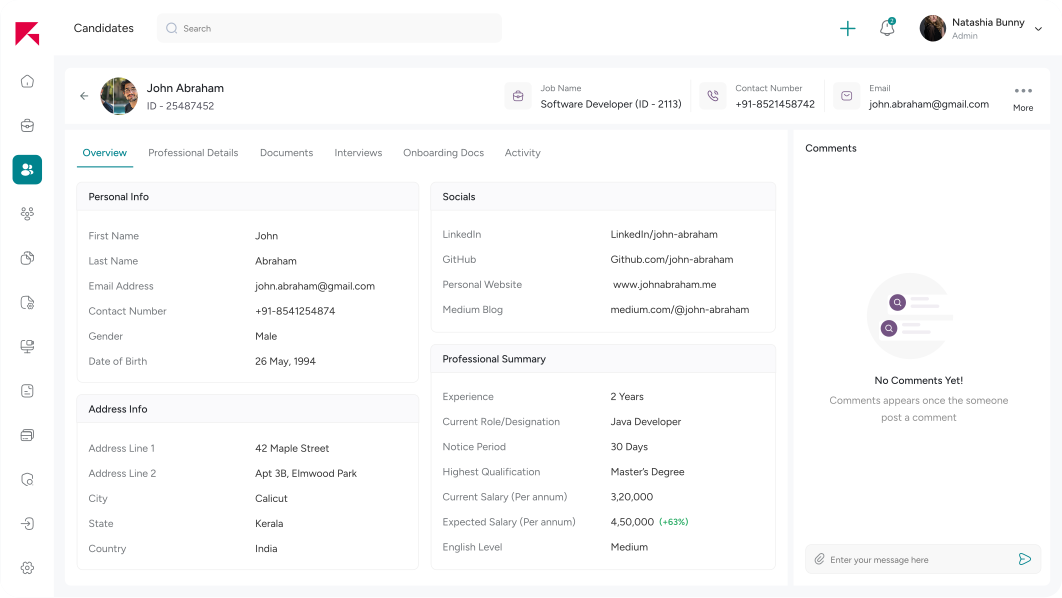
We initially explored using the existing notes and comments section within the recruitment platform to manage verification-related conversations.
Why this didn't work?
Notes were designed for internal collaboration during hiring and lacked status tracking, document requests, and interactions with external stakeholders.
As verification requests increased, information became difficult to organize and follow.
2/3 : Stakeholder specific forms
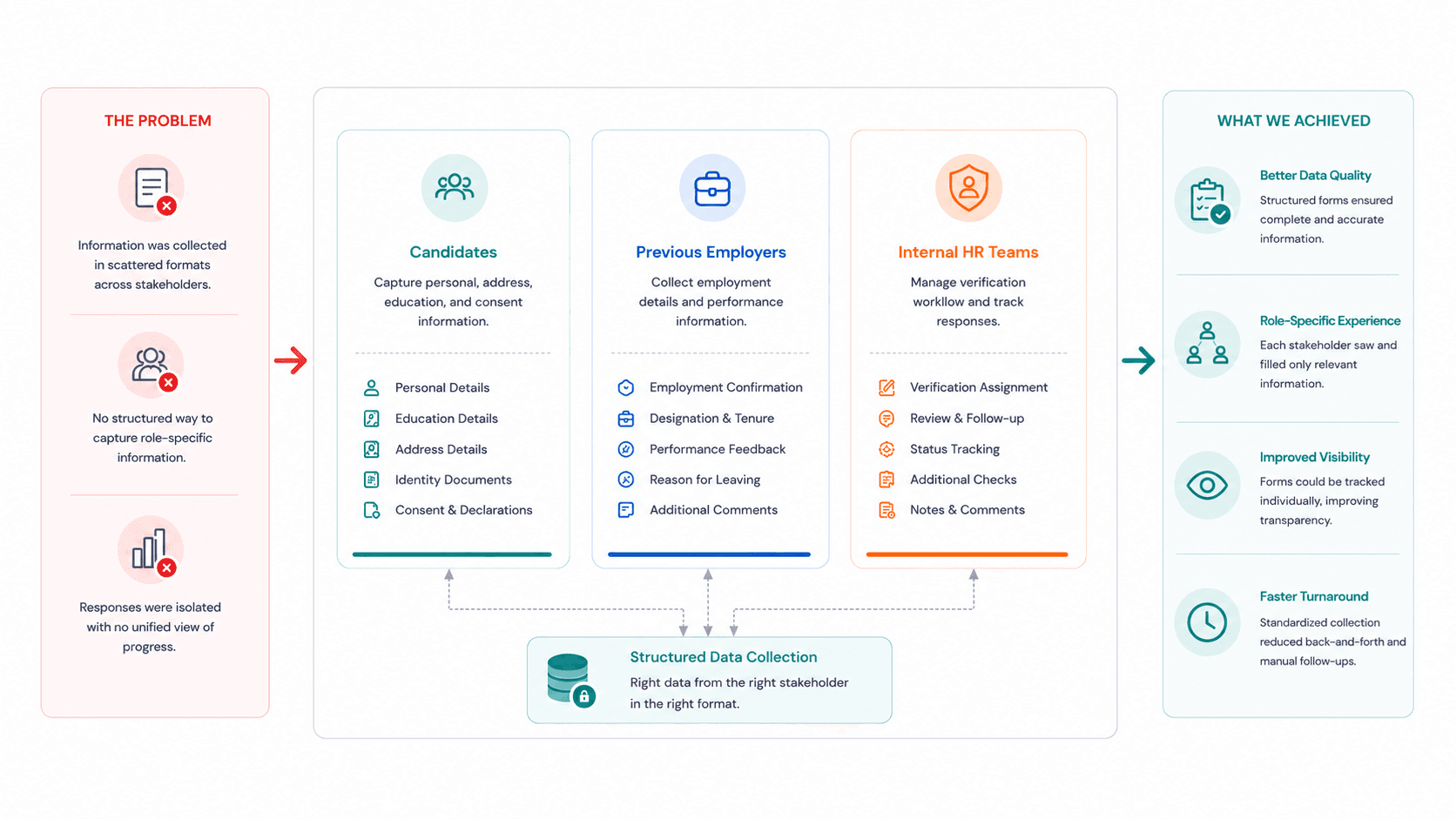
We observed that each stakeholder contributed unique information during the verification process. To simplify data collection and avoid unnecessary fields, we experimented with role-specific forms tailored to each stakeholder's responsibilities.
Why this might work but needs further exploration?
Forms improved data collection, but responses remained isolated and there was no unified view to monitor progress across stakeholders.
3/3 : Centralized BGV Hub
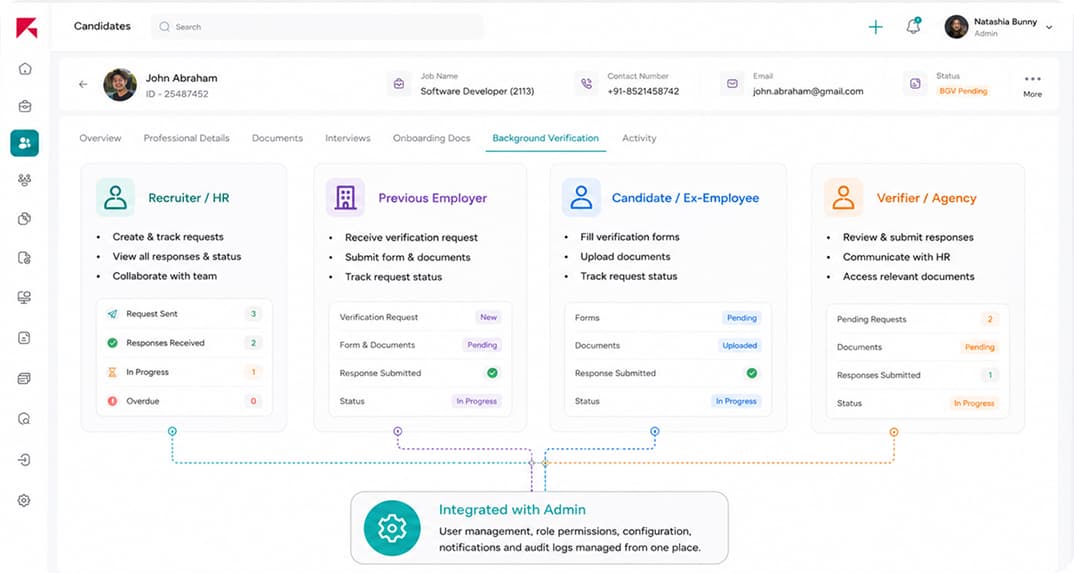
Through the previous explorations, we realized that background verification required its own workflow while still maintaining strong connections with recruitment data. This led us to design a dedicated BGV experience integrated with the recruitment platform, enabling recruiters, HR teams, external verifiers, and ex-employees to collaborate without leaving the ecosystem.
This is the final solution we have chosen
This provided a single source of truth, improved visibility, and enabled recruiters, candidates, and verifiers to collaborate within one ecosystem.
The solution we have chosen
After thorough research, stakeholder discussions, and the synthesis of key insights, we arrived at a balanced solution designed to reduce email dependence, provide clear status visibility, and streamline document tracking across workflows.
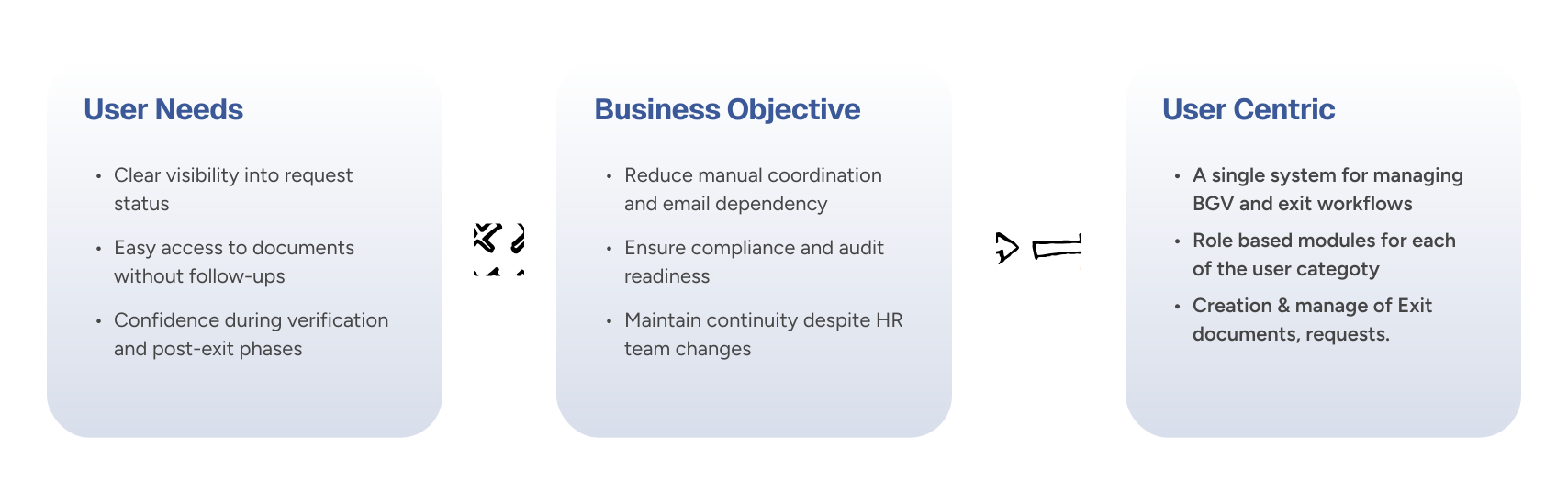
Final Designs : BGV requests for Ex-Employees
We followed a sprint-based product development approach throughout the Exit Management and Background Verification project. We regularly reviewed designs with stakeholders, gathered feedback from HR teams, and conducted quick usability checks to improve the experience in every sprint. This helped us simplify workflows, reduce manual effort and user friction, and deliver a solution that aligned well with user and business needs within a short timeline.
Flow 1 : External HR (Secondary User)
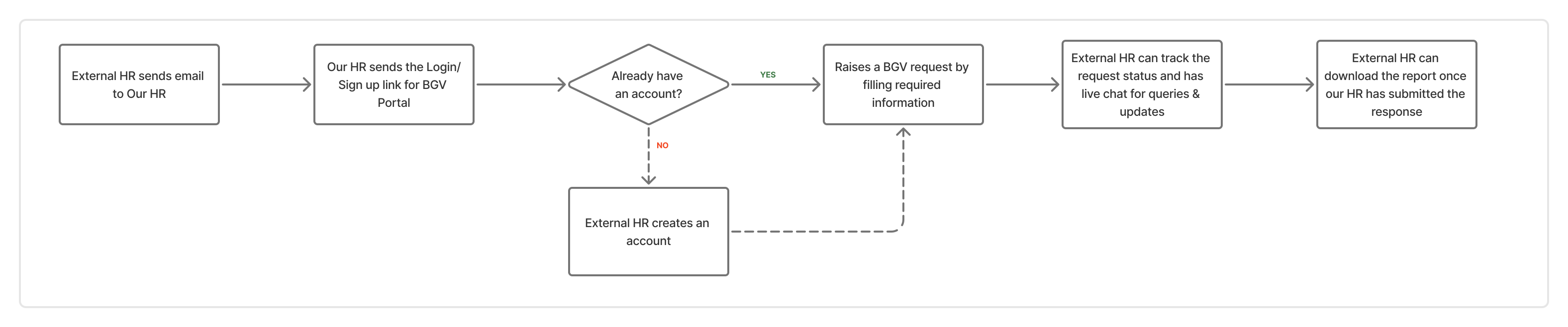
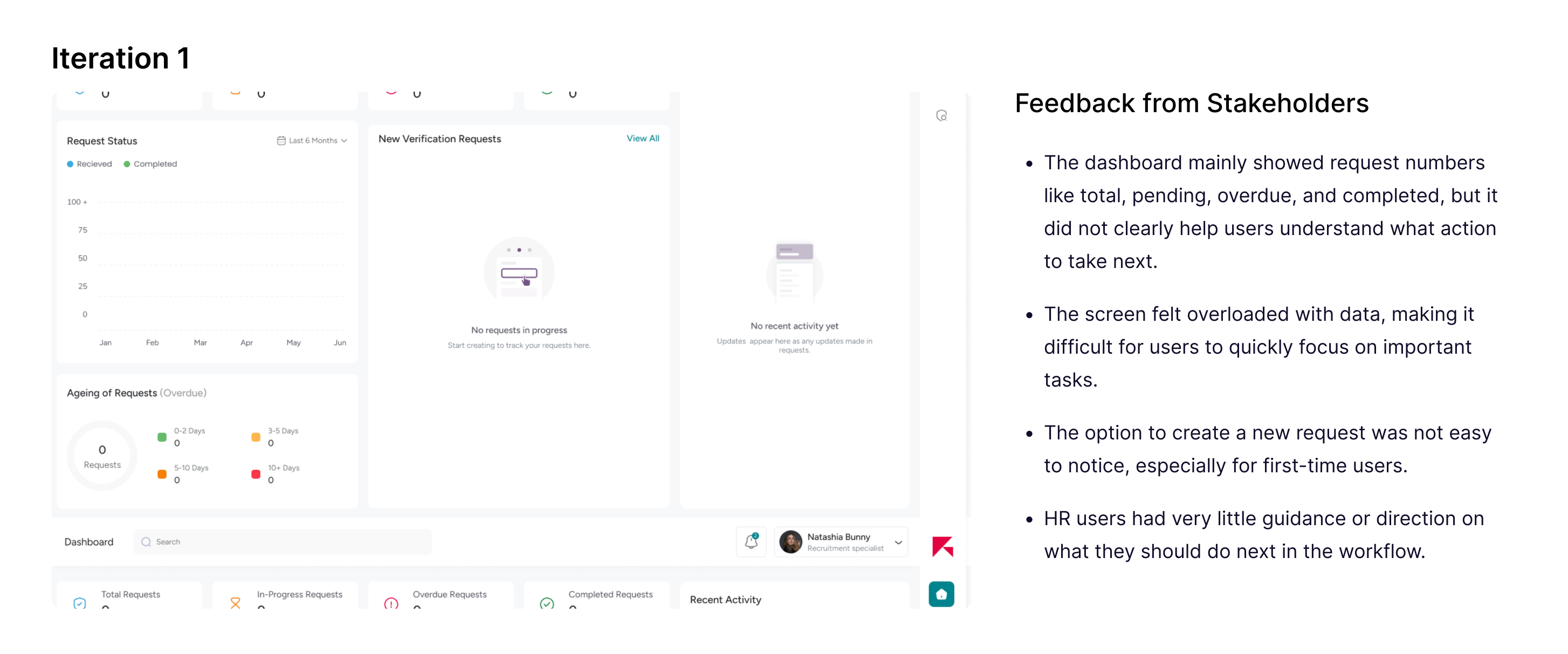
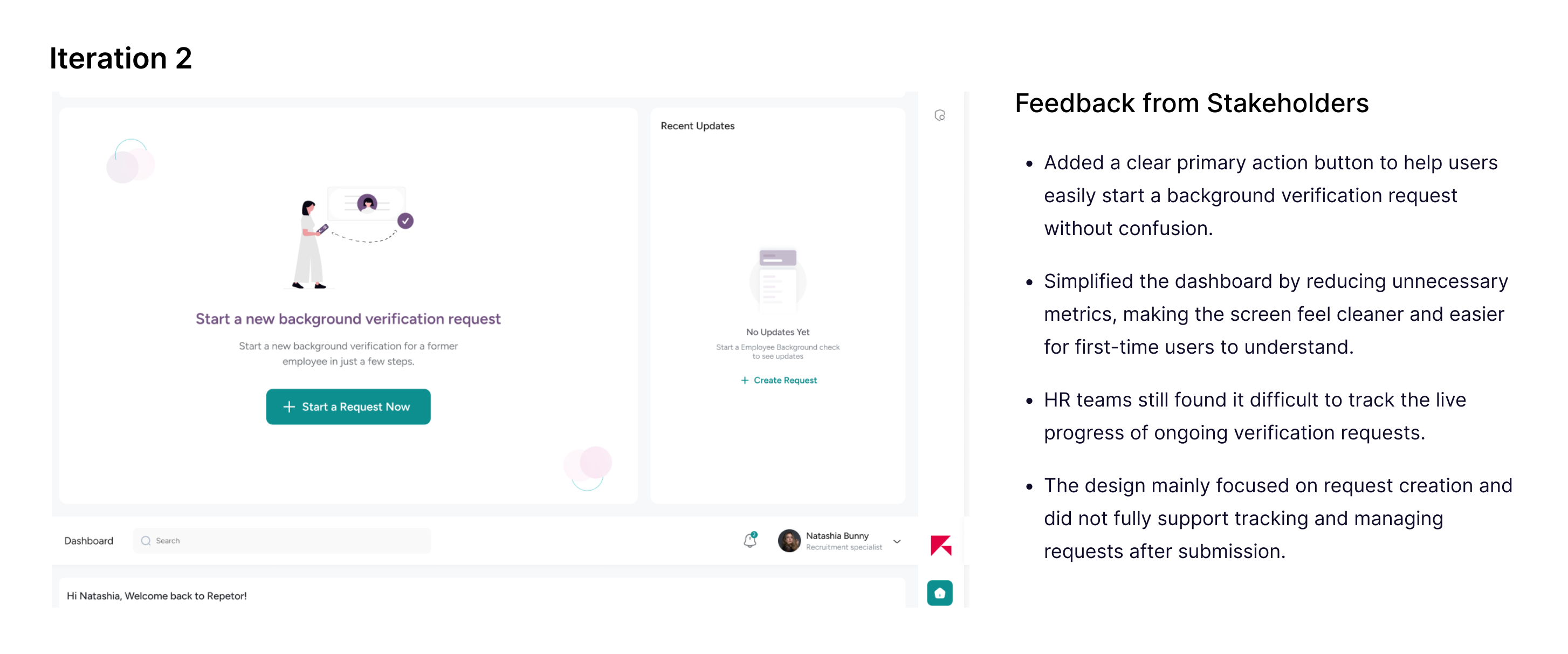
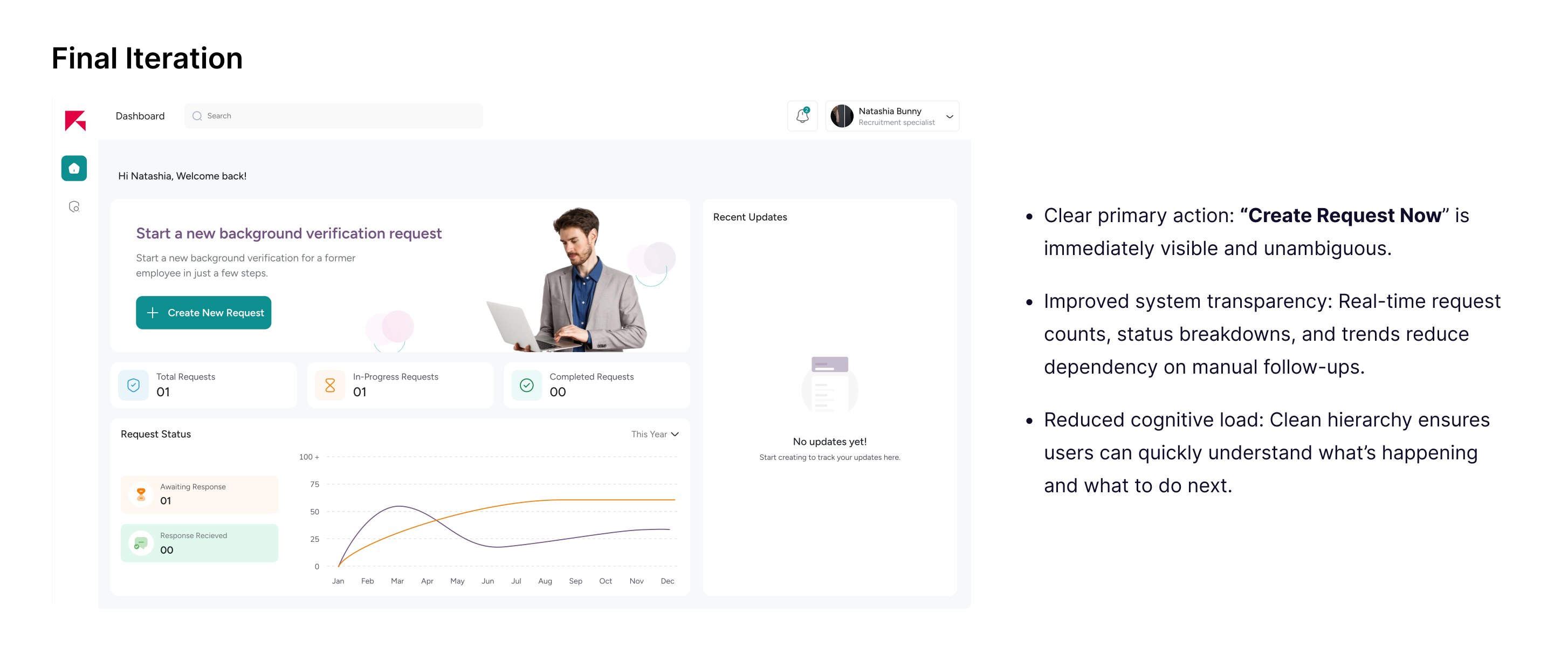
BGV Portal Dashboard(Verifier Access)
The BGV portal dashboard serves as the entry point for external HR verifiers to understand the overall state of incoming verification requests.
I explored 3–4 layout variations to determine the right information hierarchy for the first screen.
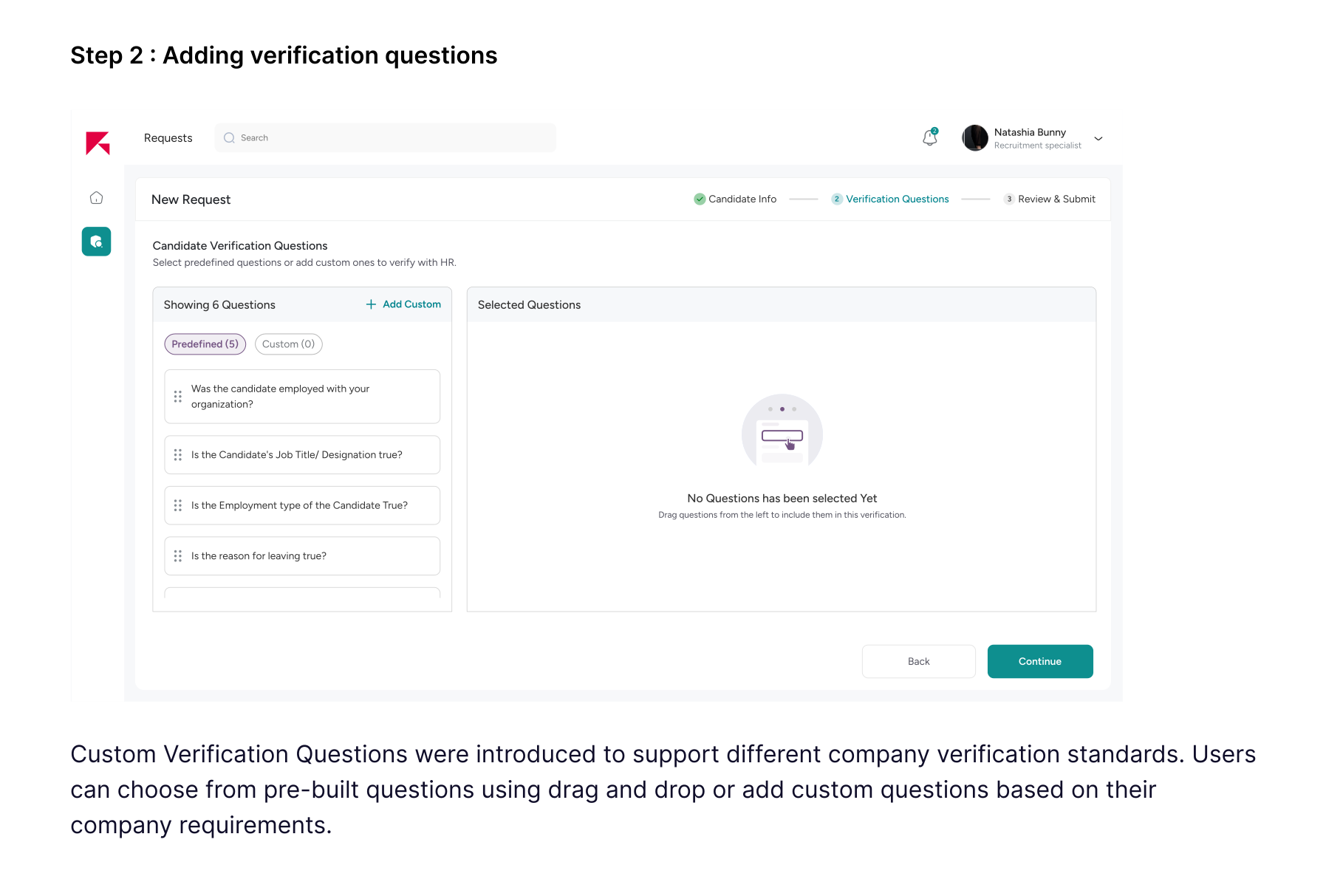
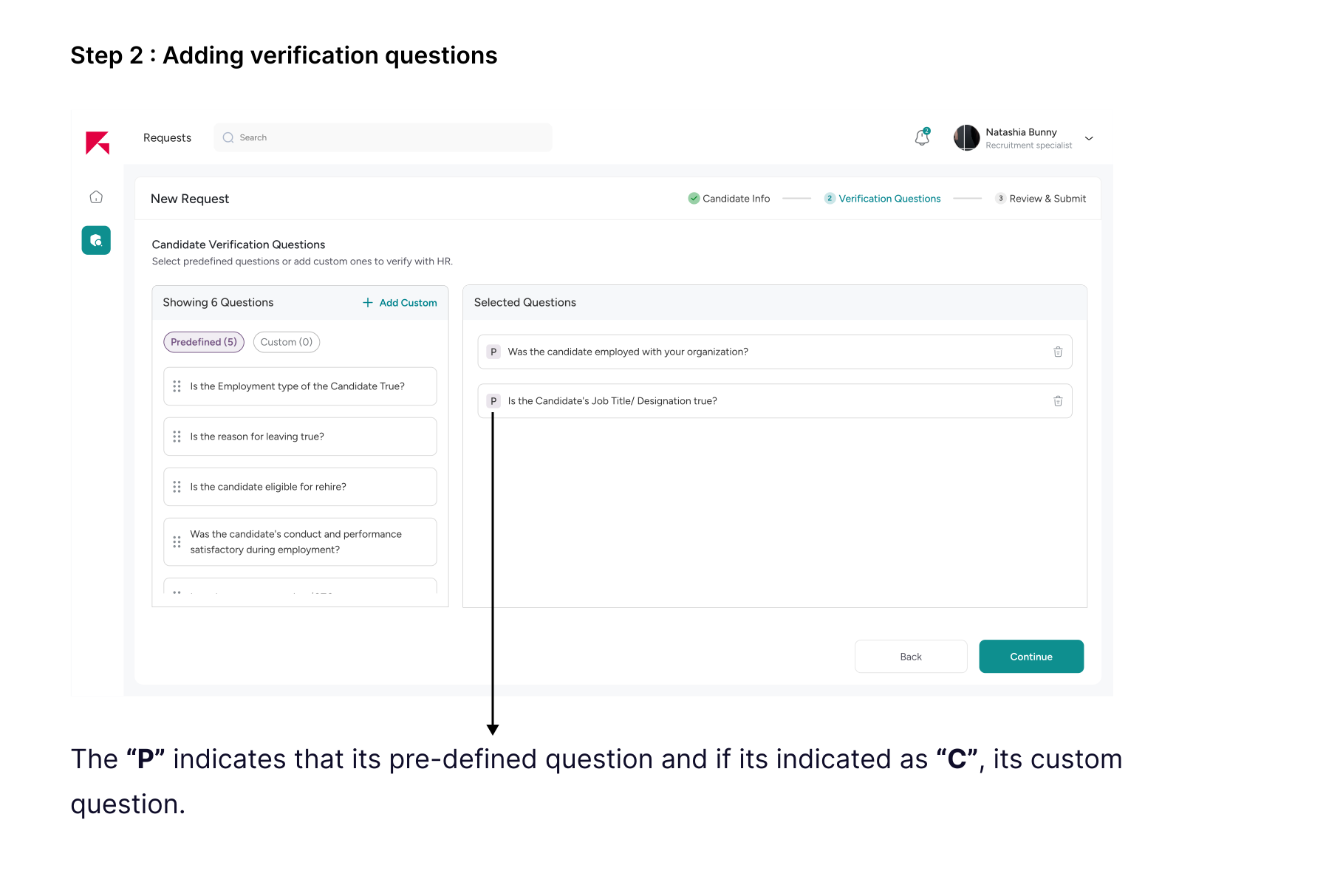
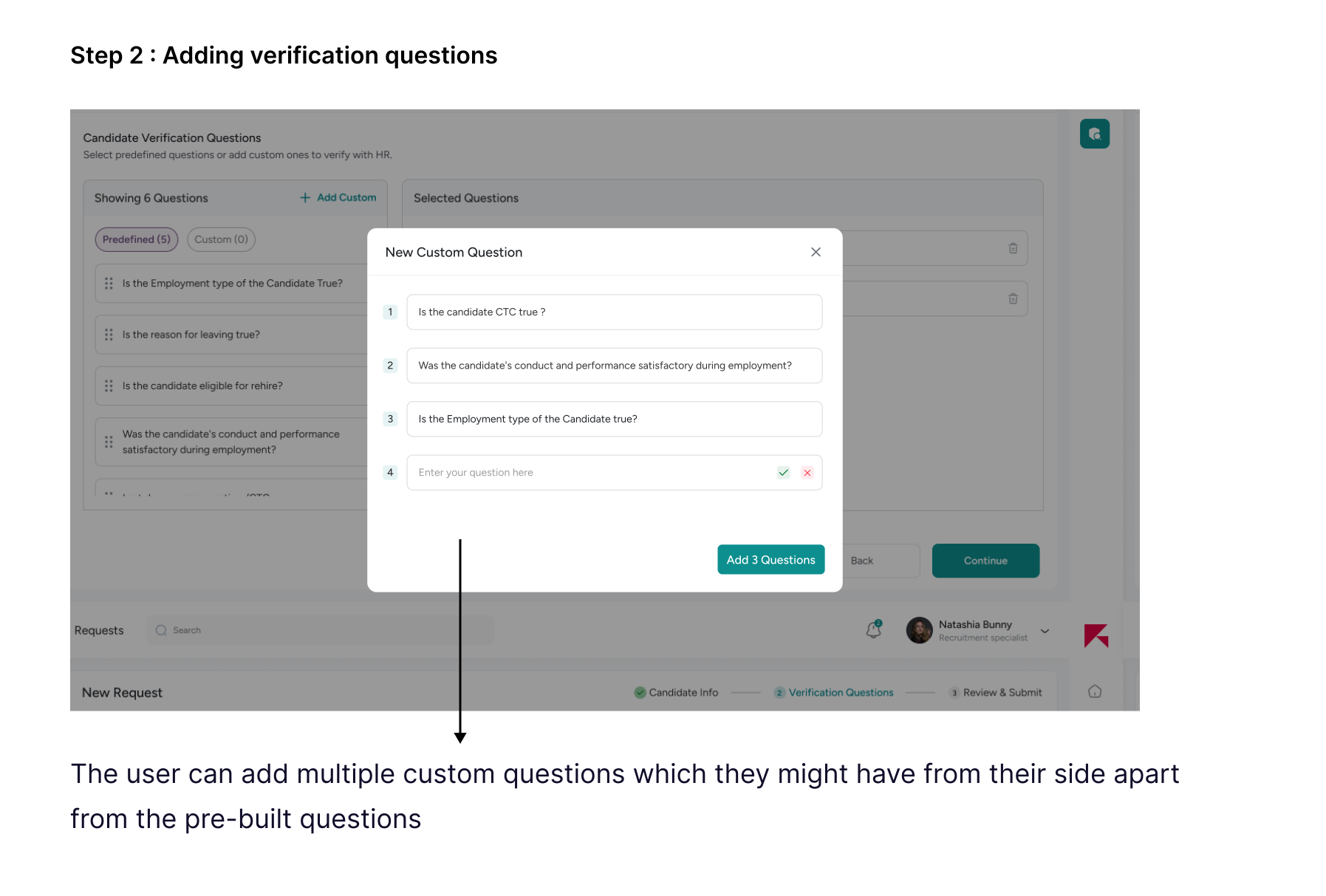
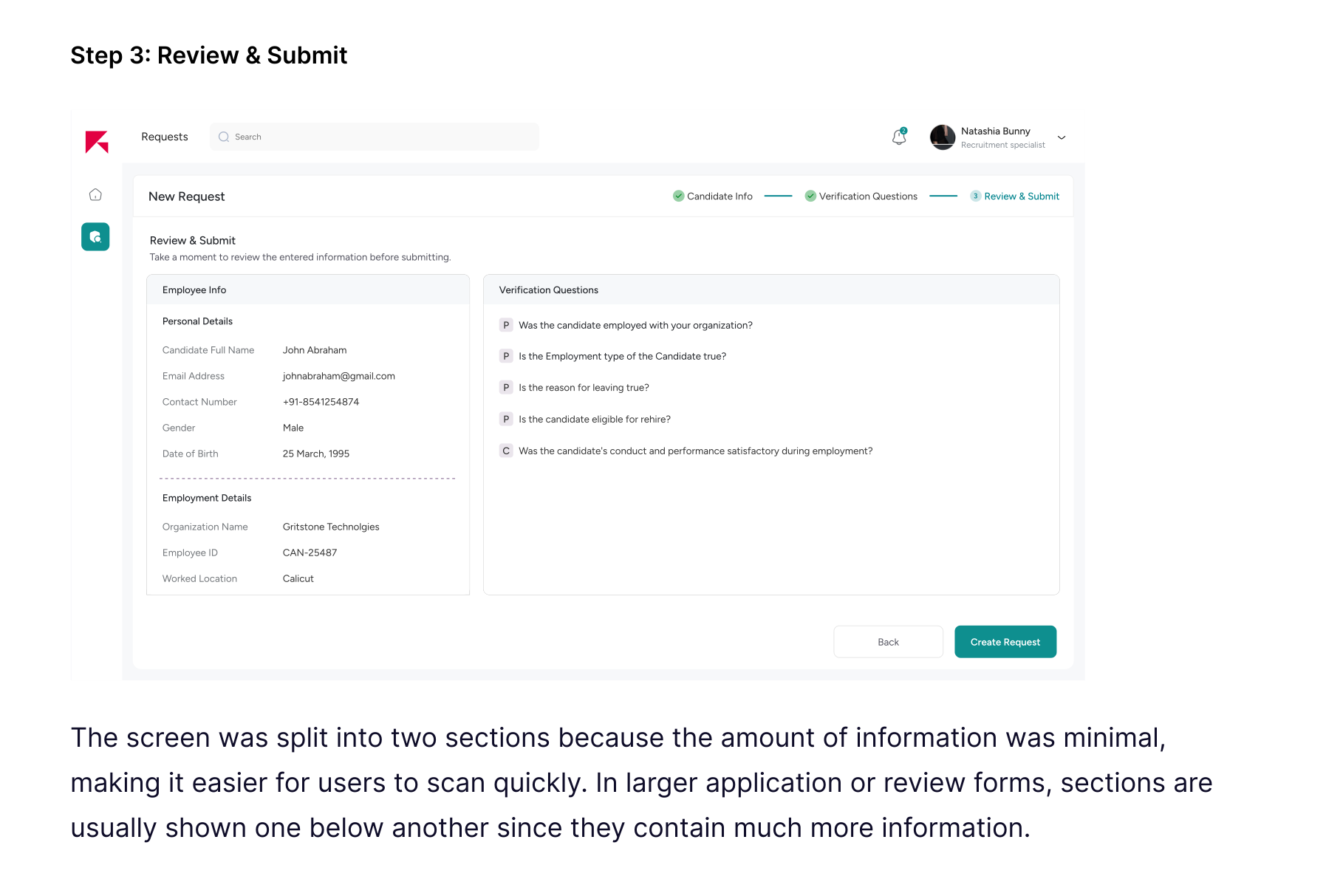
Initiating the Background Verification Request
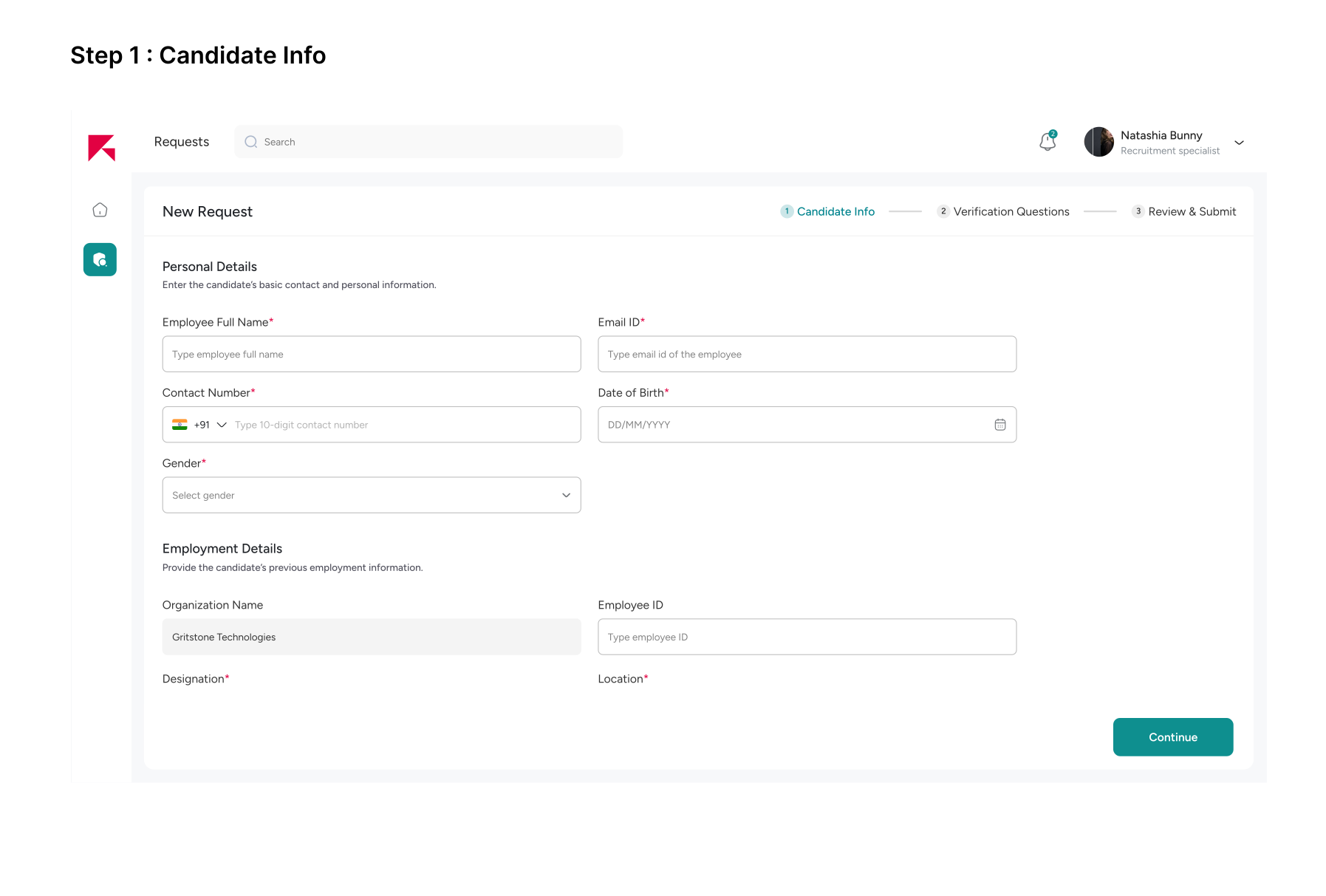
External verifiers can now initiate BGV requests directly in the portal, eliminating the need to email our HR team for candidates who have exited the company.
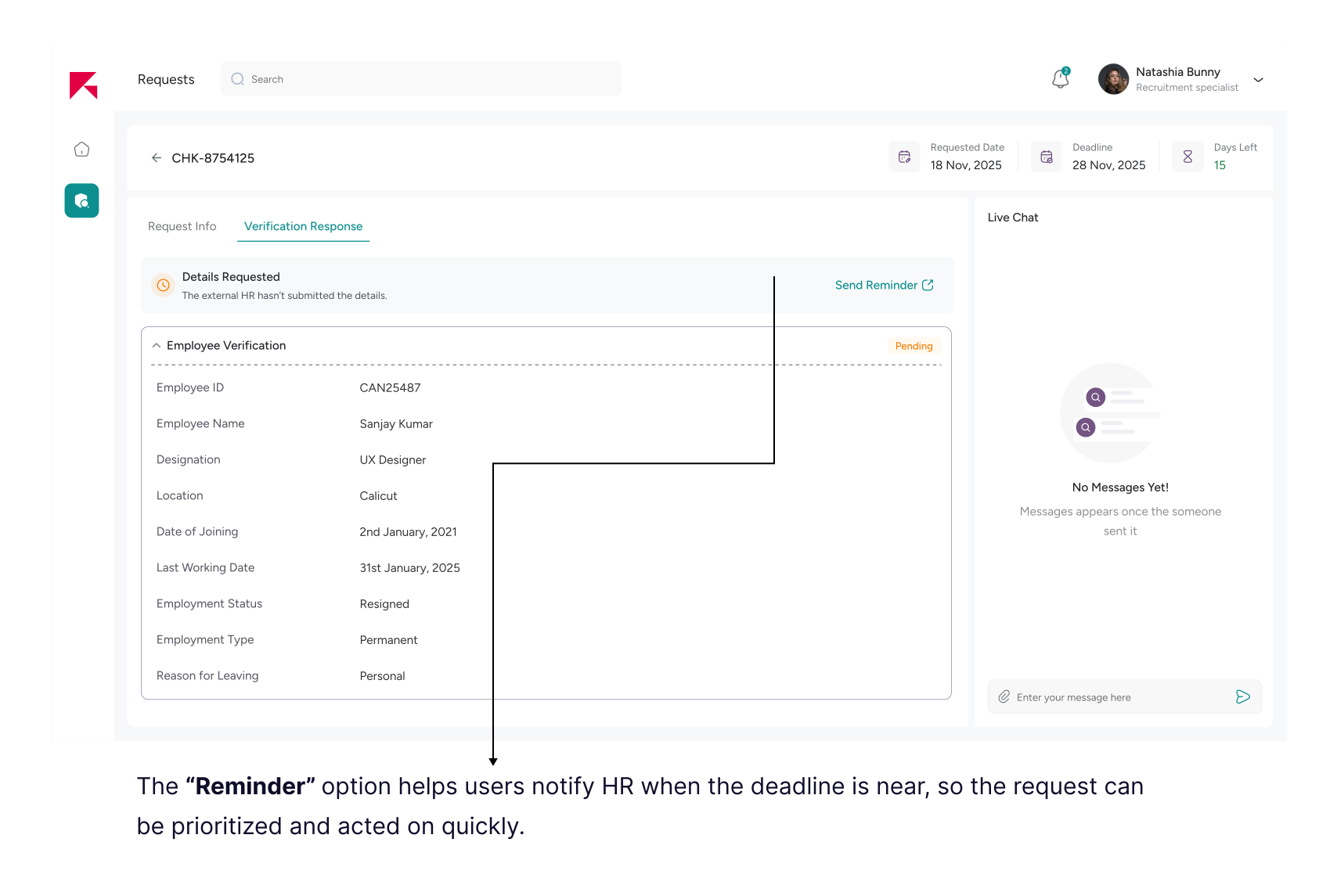
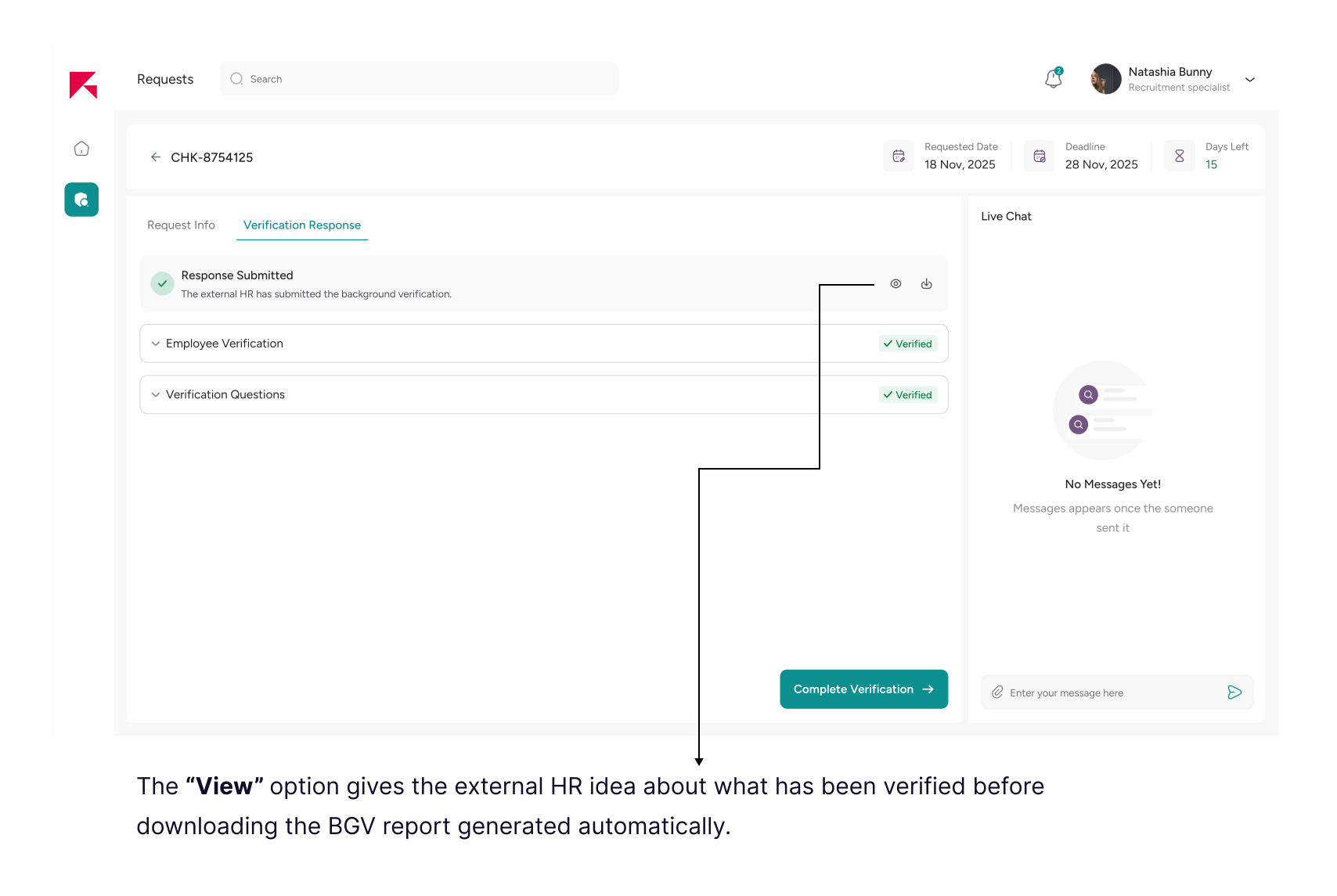
Tracking the Background Verification Request
The reason for providing "Live Chat" is to enable verifiers to have direct, real-time interaction with our HR team, allowing them to quickly clarify missing details, resolve queries, and reduce back-and-forth email communication.
Flow 2: HR Review & Response
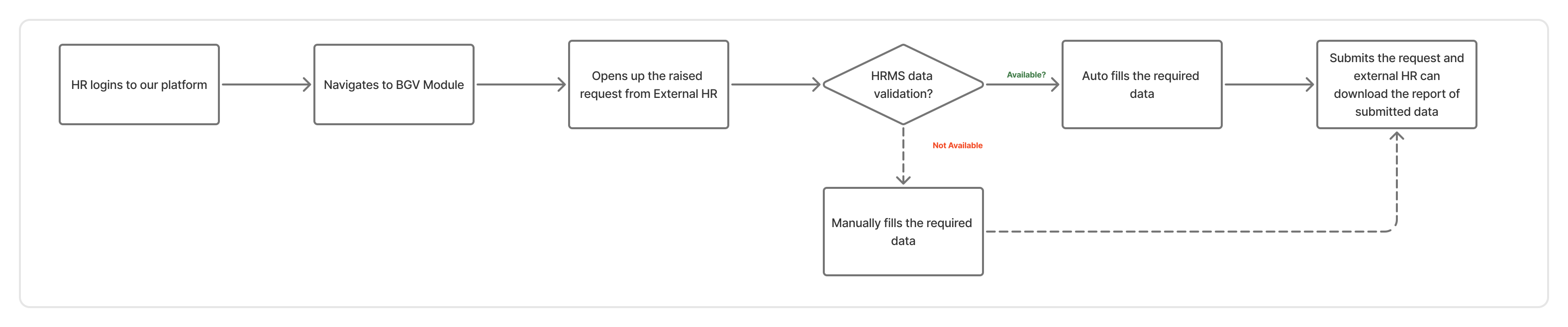
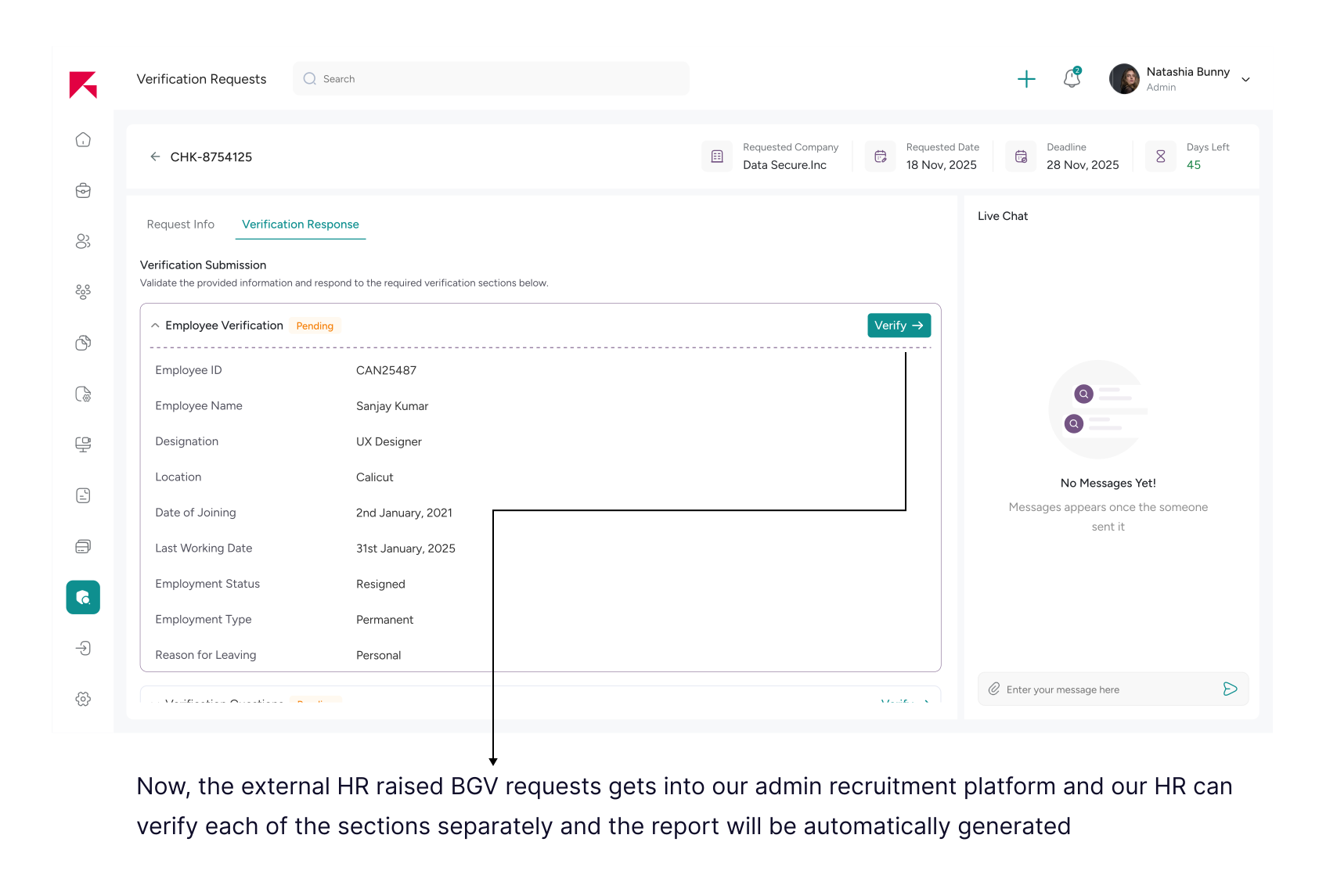
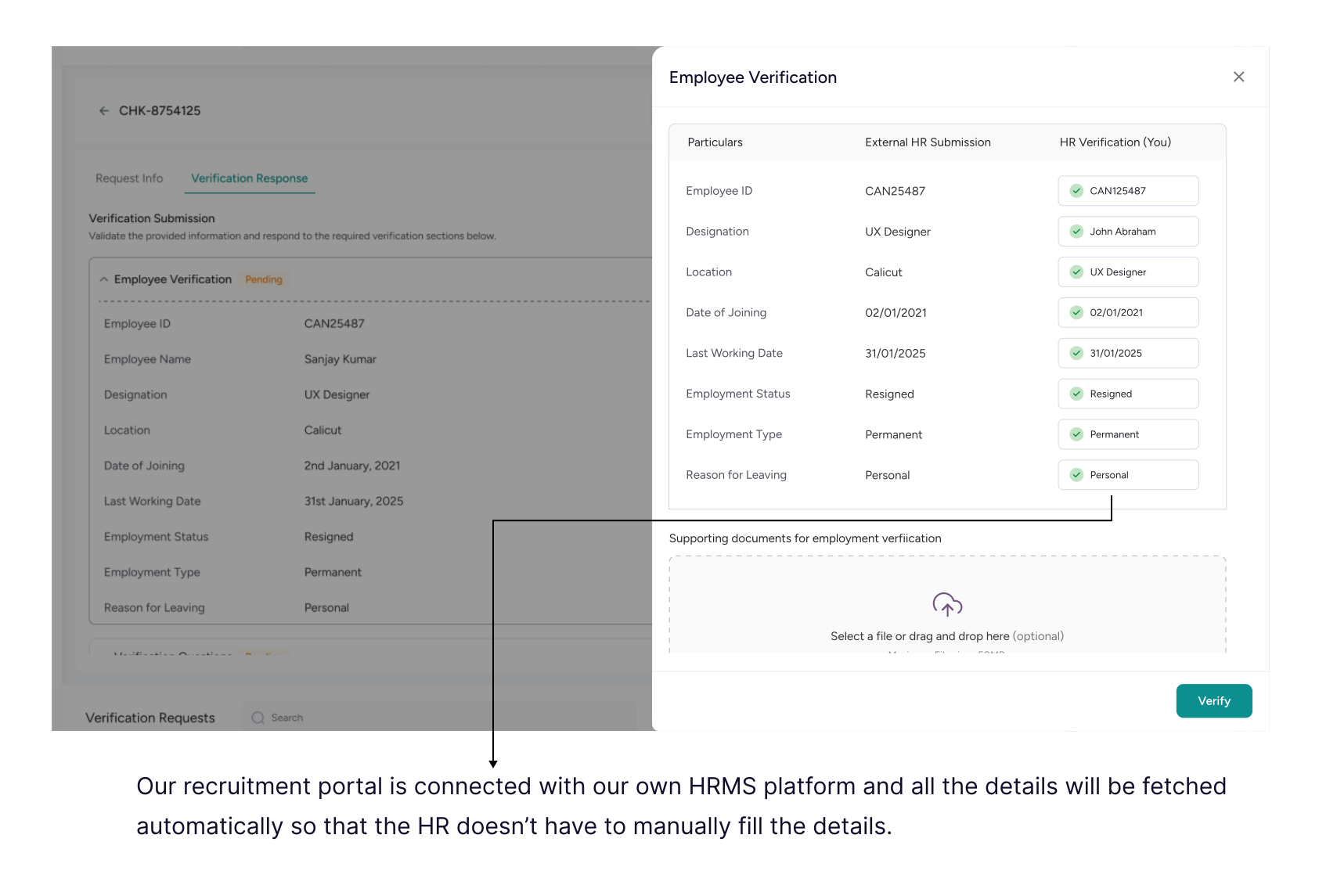
Our Recruitment Portal is seamlessly integrated with our HRMS, automatically fetching and populating employee data into relevant fields. If any additional information is required or missing, HR can review, update, and submit the necessary details before completing the verification response.
Verifying a New Hire’s Previous Employment
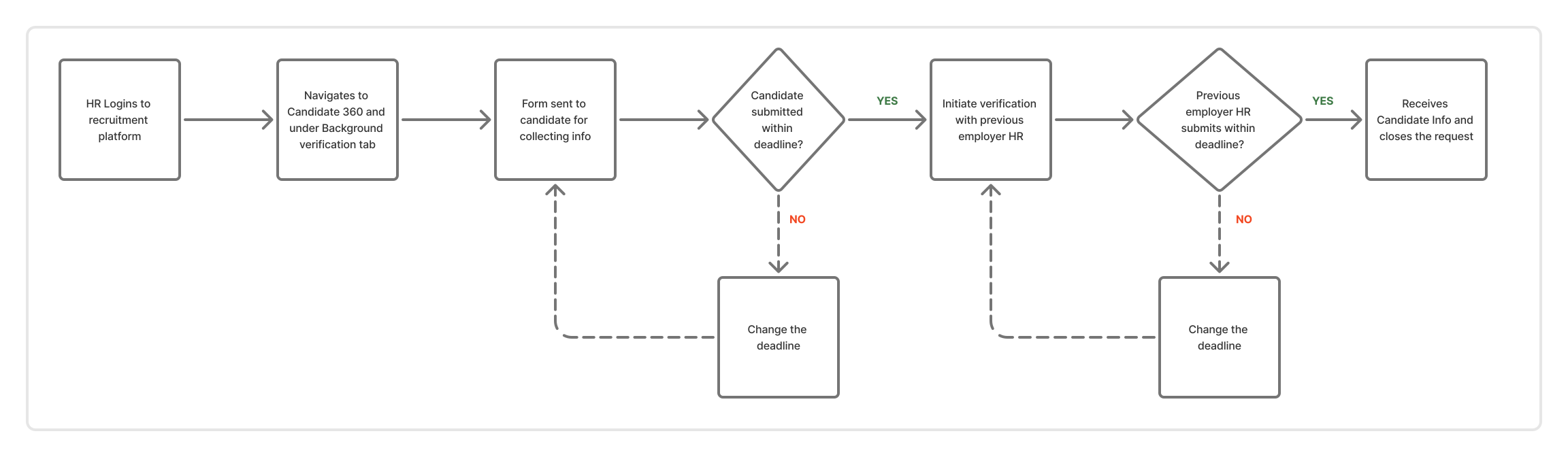
While designing the Background Verification flow for newly hired candidates, a key structural question emerged:
Should verification be managed under a centralized BGV module, or within the Candidate 360 profile?
🚧 If Placed Under a Separate BGV Module
Positioning new-hire verification inside a centralized BGV module would:
- Force HR to navigate away from the candidate profile to initiate verification
- Break the continuity of the hiring journey
- Make verification feel like an isolated operational task
- Increase context switching between modules
✅ Final Decision: Integrate BGV Within Candidate 360
We placed new-hire Background Verification inside the Candidate 360 view— alongside Interviews, Documents, and Onboarding.
This ensured that:
- HR retained full candidate context while initiating the request
- Status tracking was visible within the candidate timeline
- Navigation friction was reduced
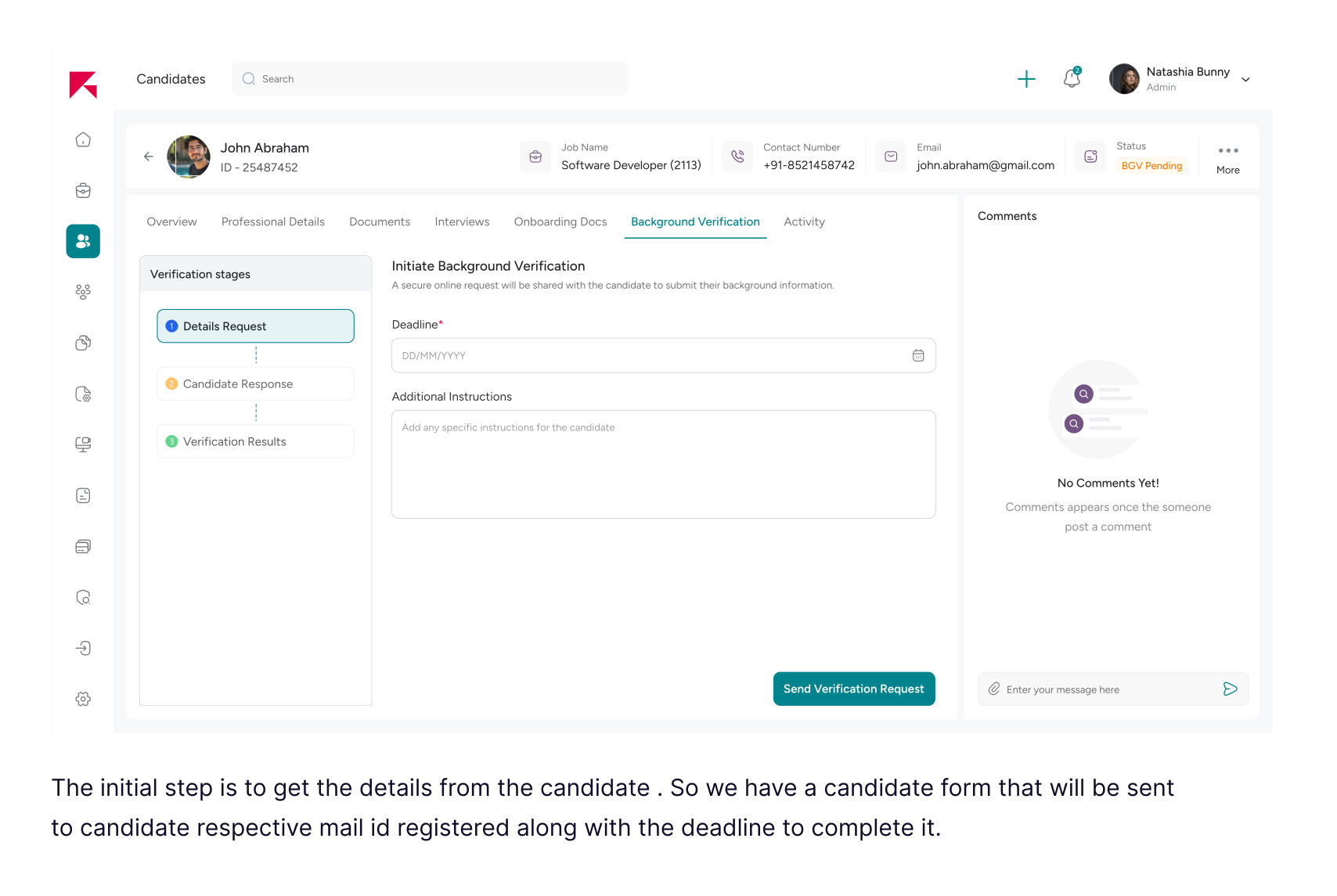
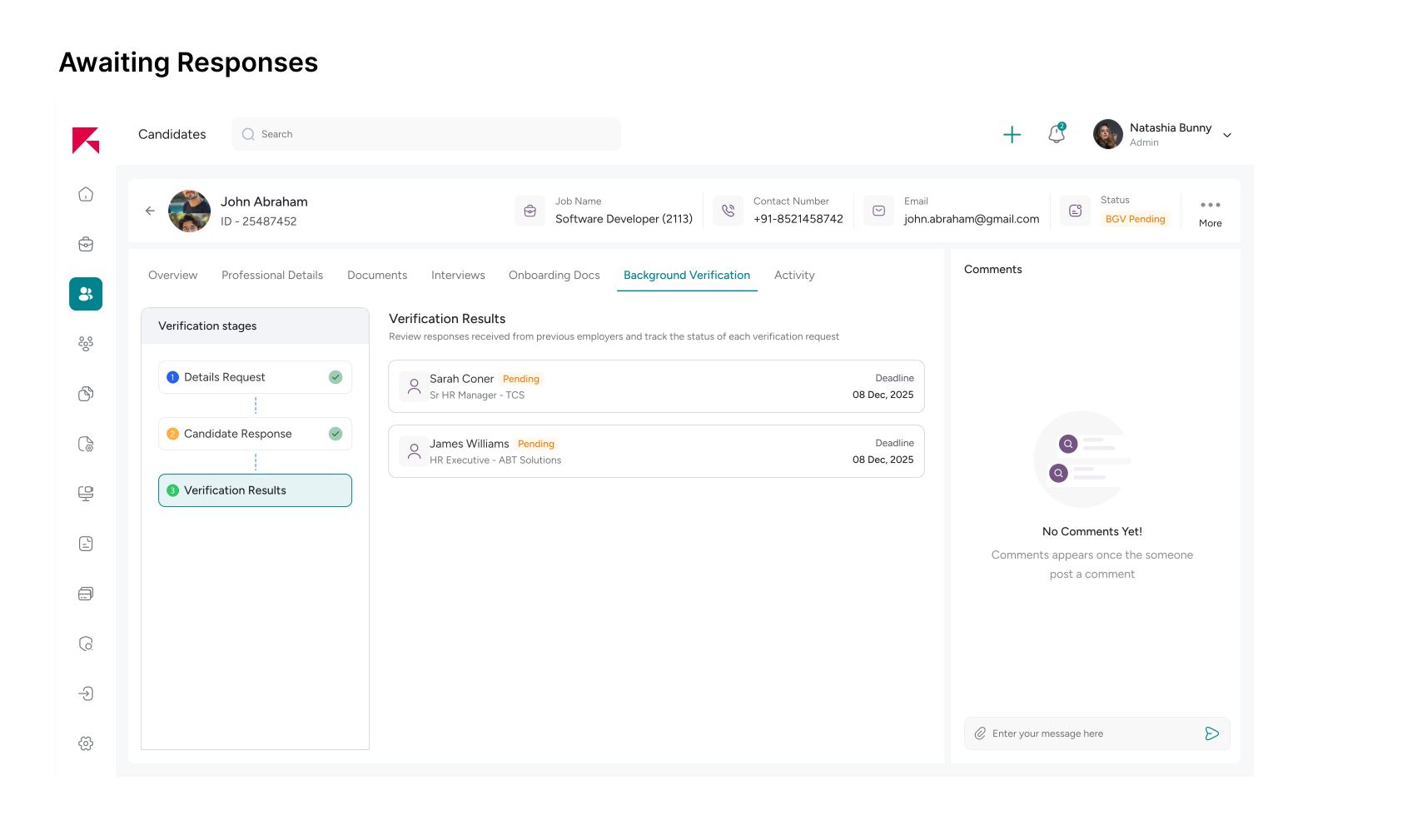
These screens explore how candidates can easily provide their previous employment details and required documents to initiate the background verification process in a more structured and guided way.
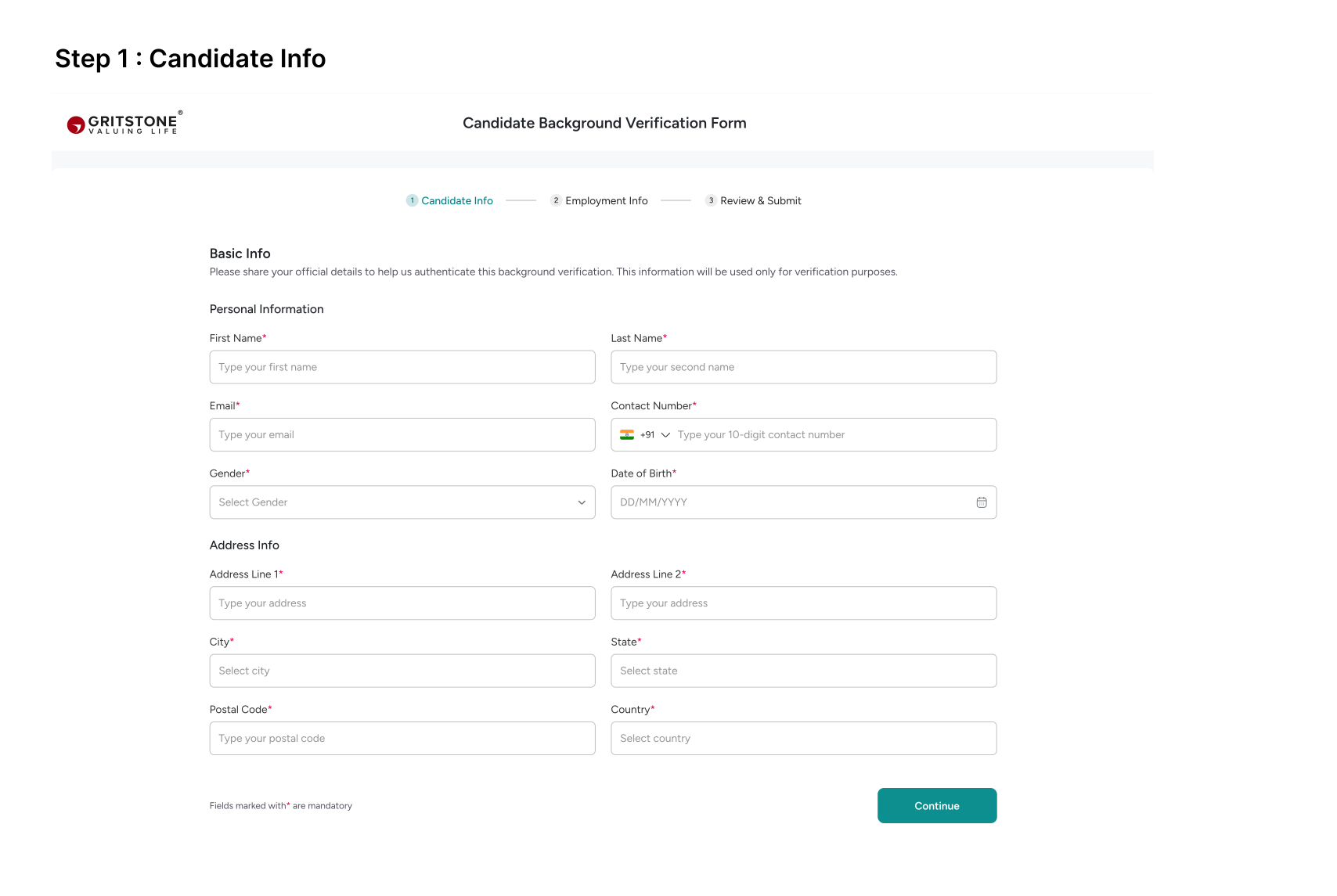
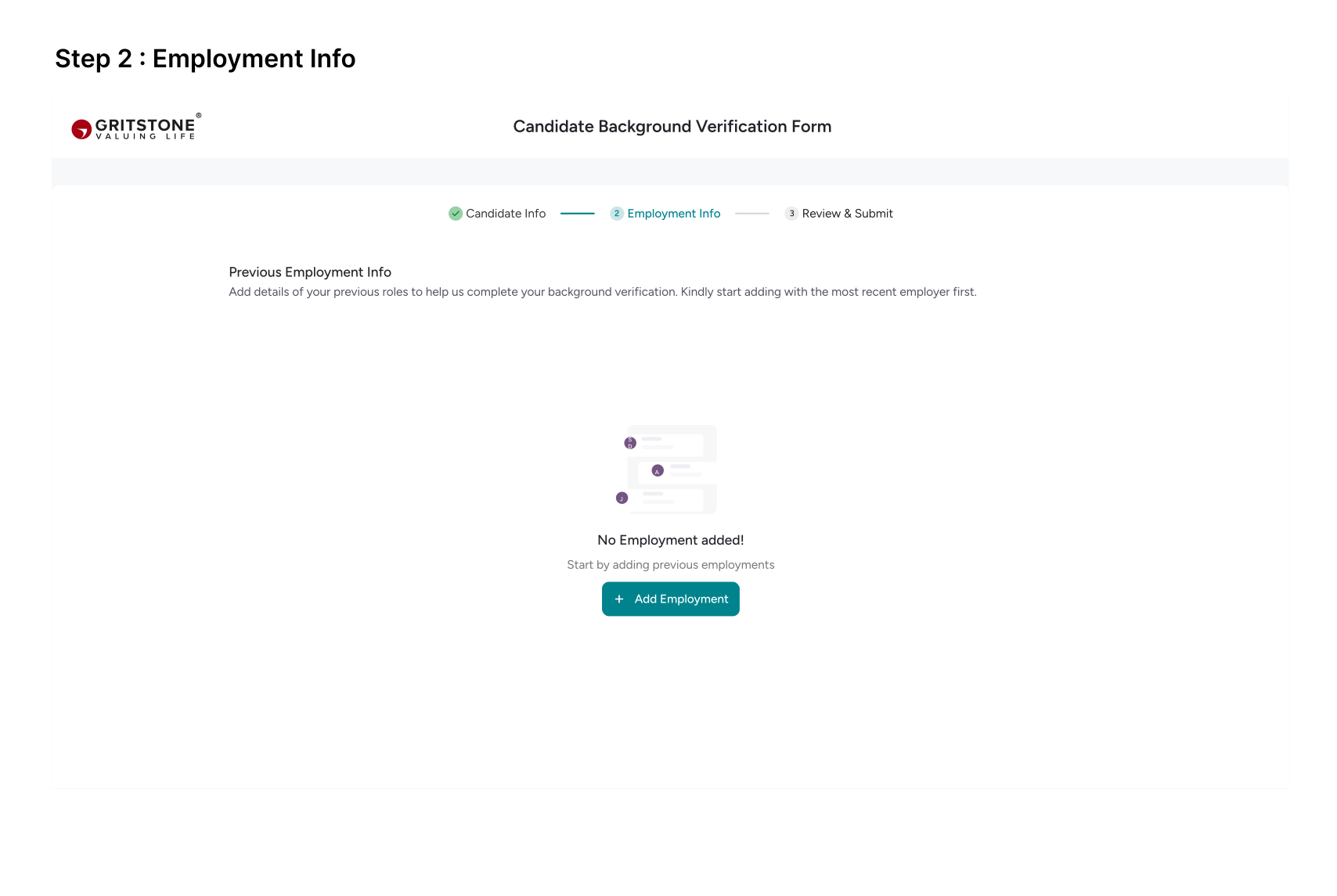
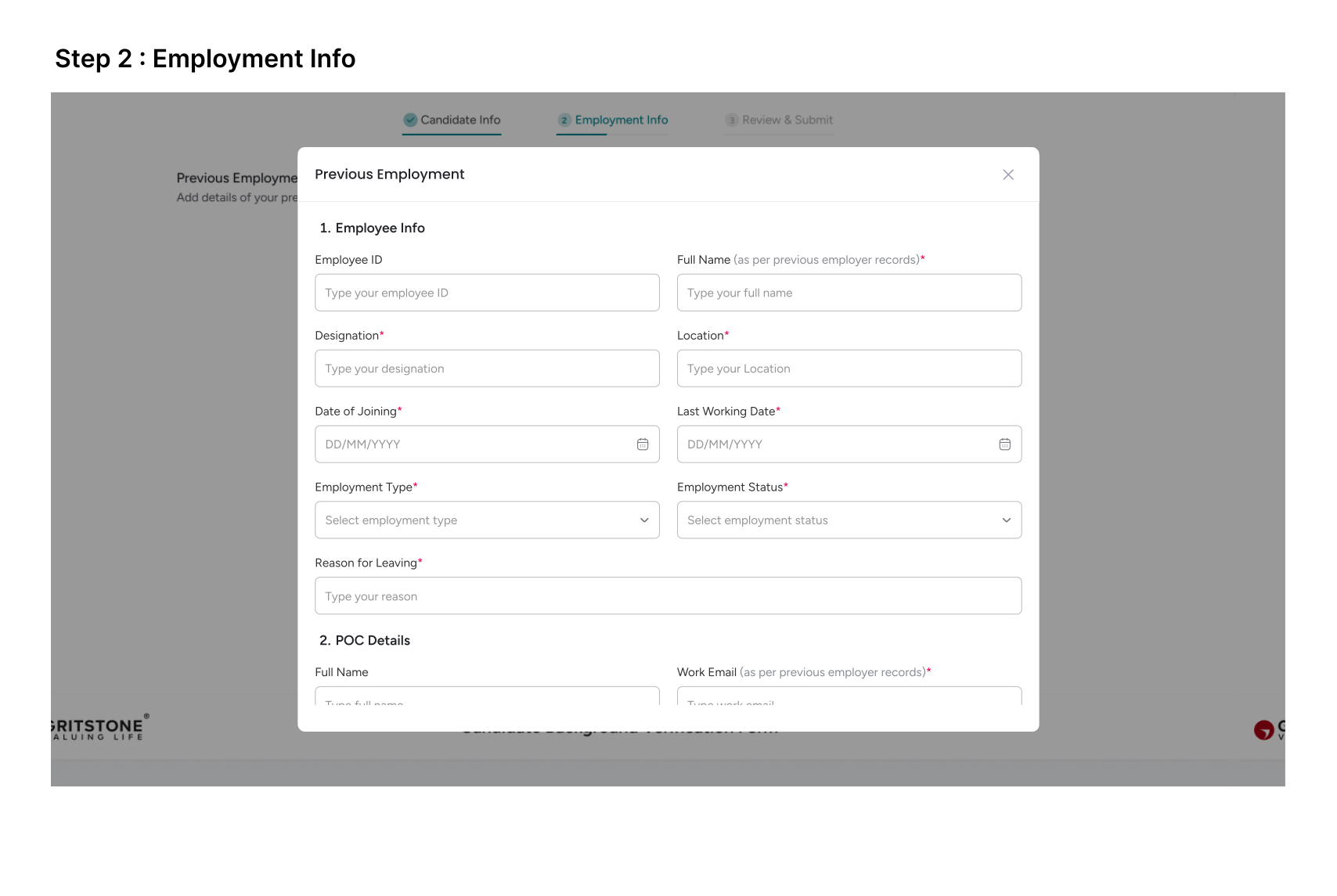
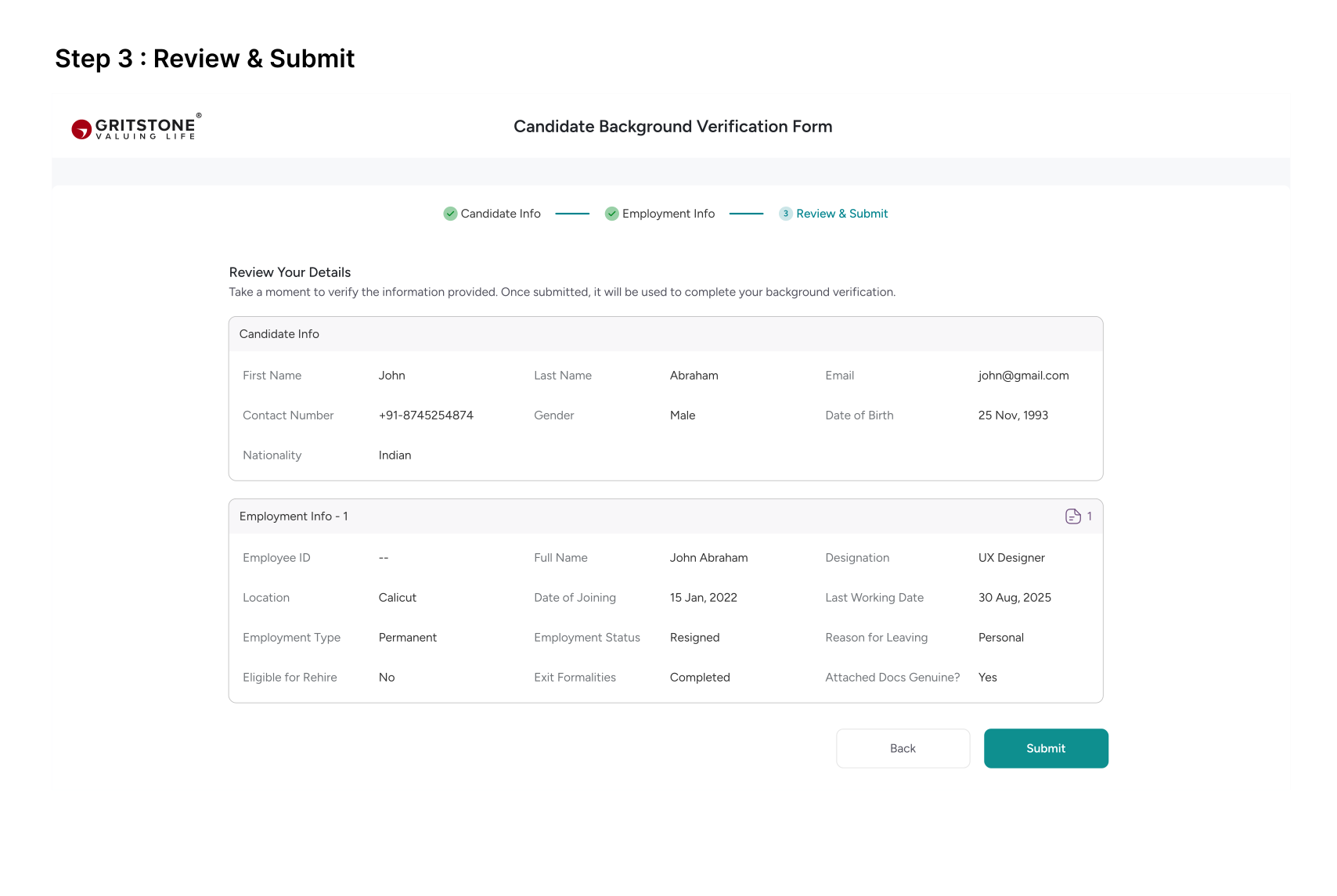
Candidate Response
We introduced automatic fetching of the previous employer’s POC details directly from the candidate’s submitted form, reducing the need for HR to manually re-enter the same information when sending verification requests.
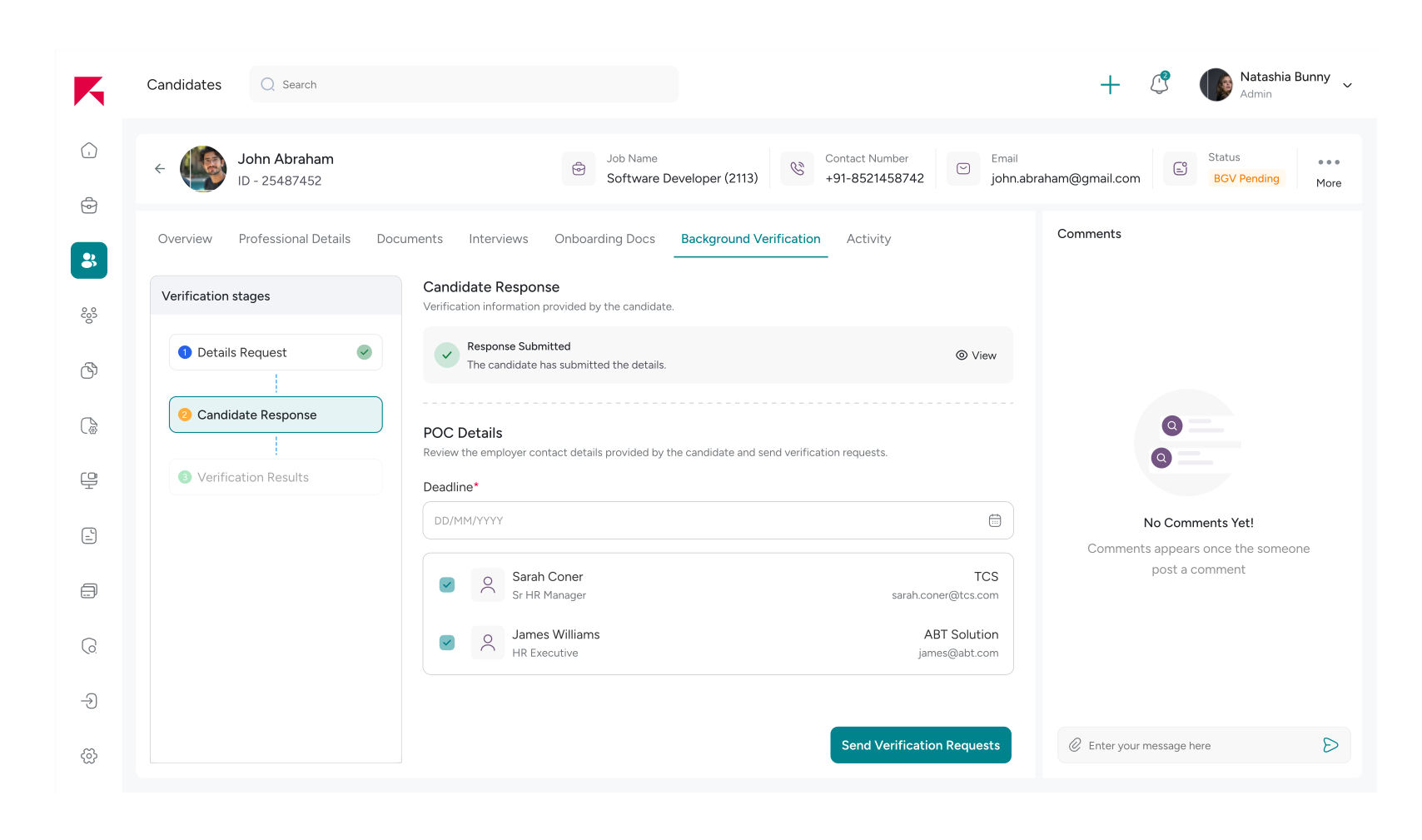
Previous Employer (POC) Submits Verification Details
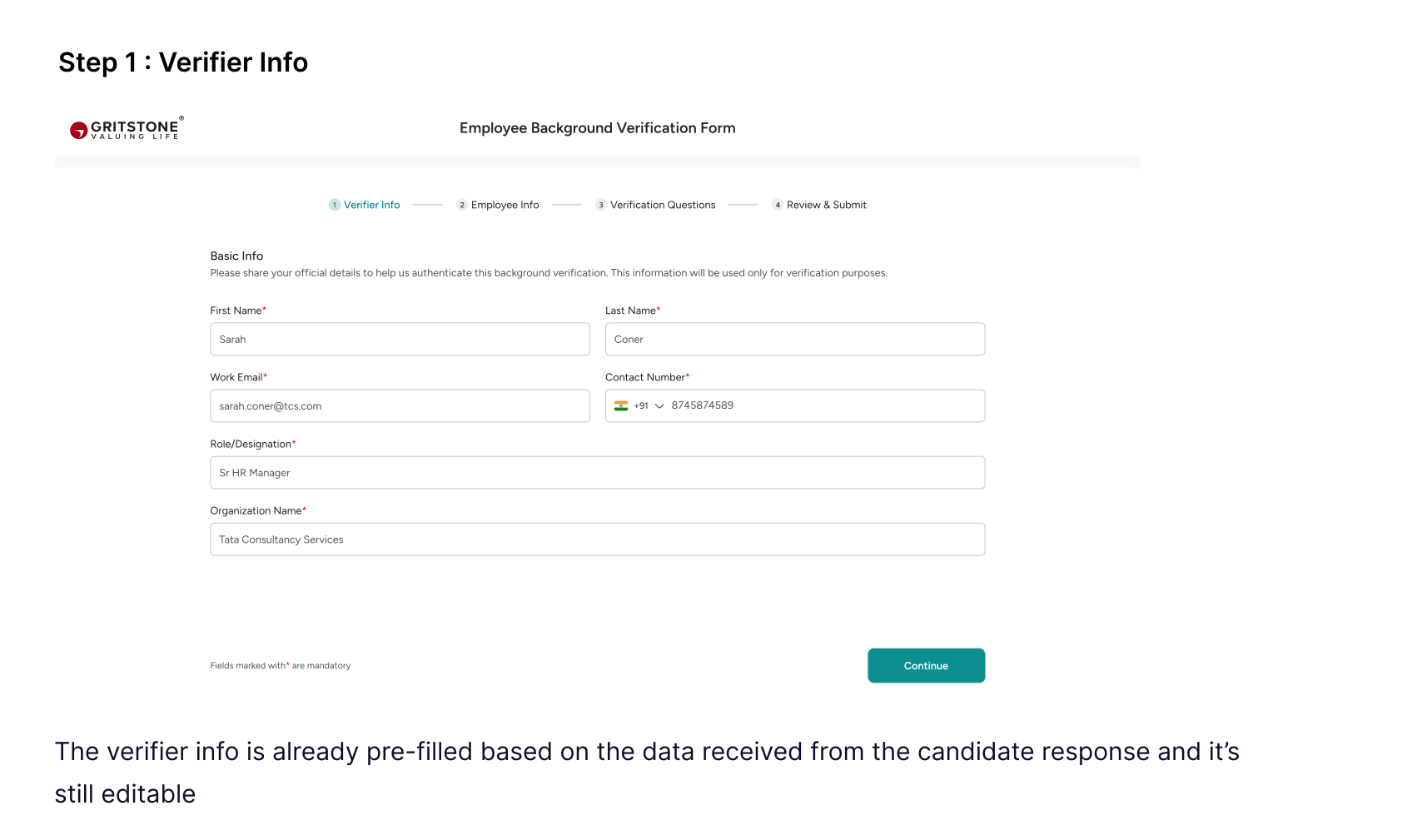
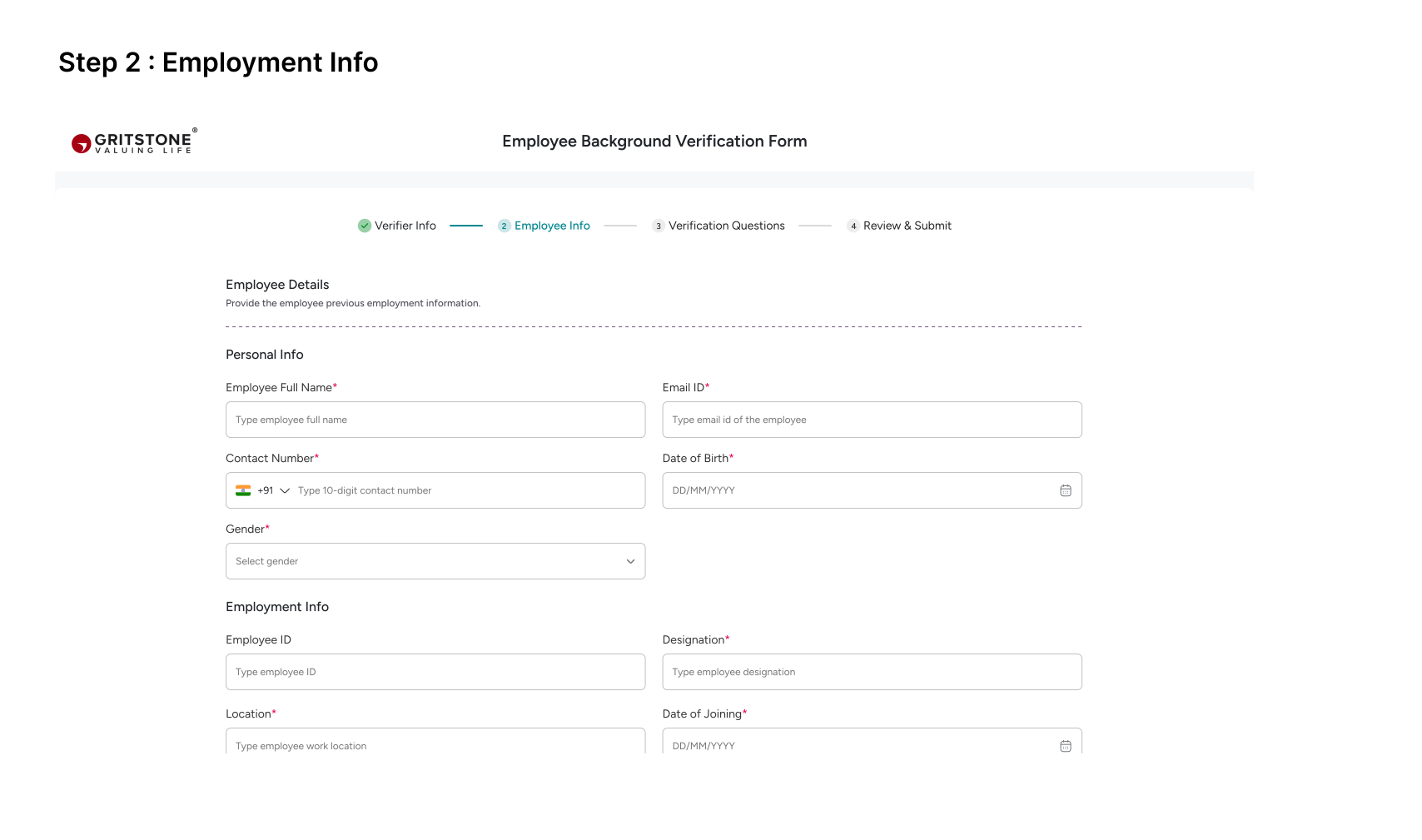
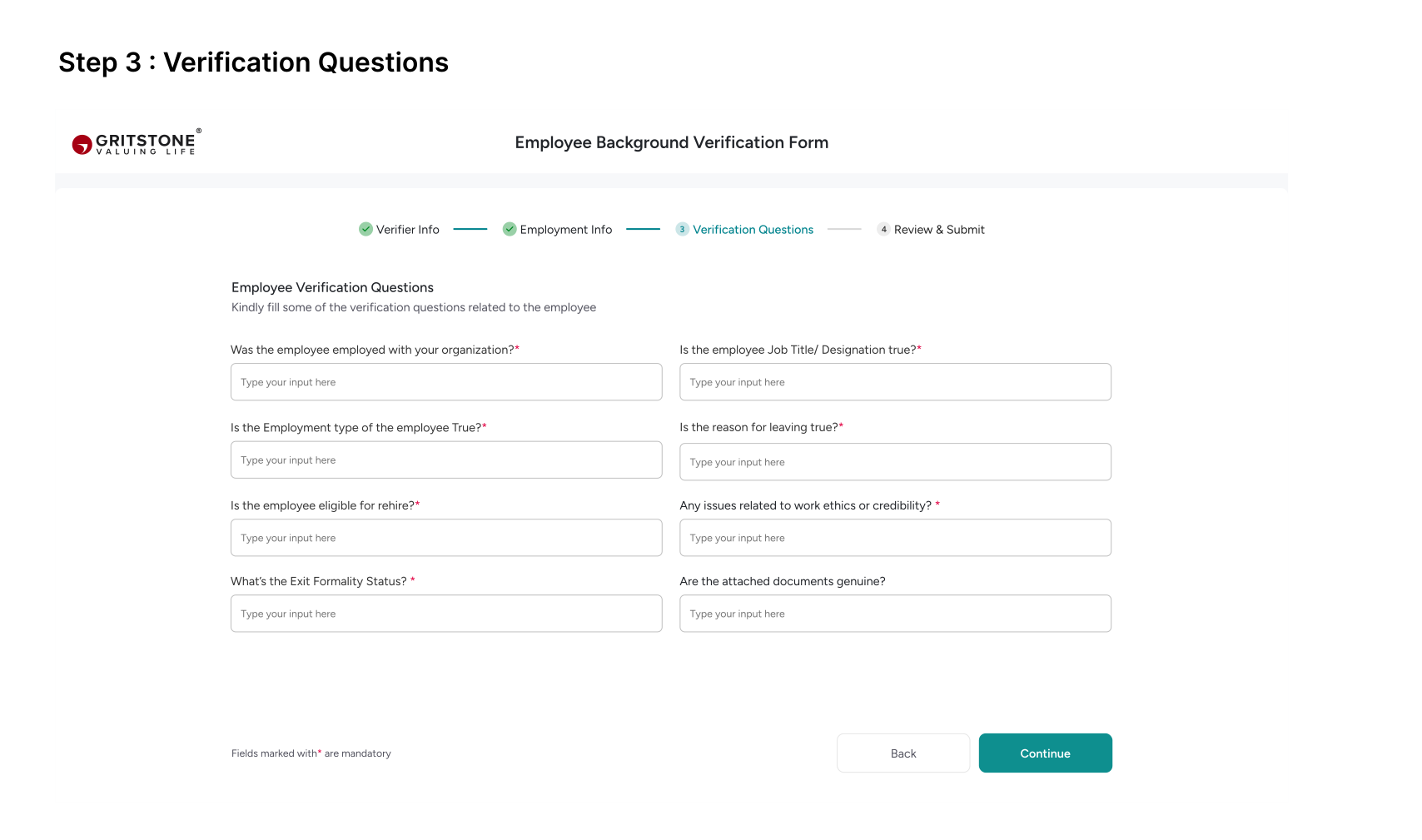
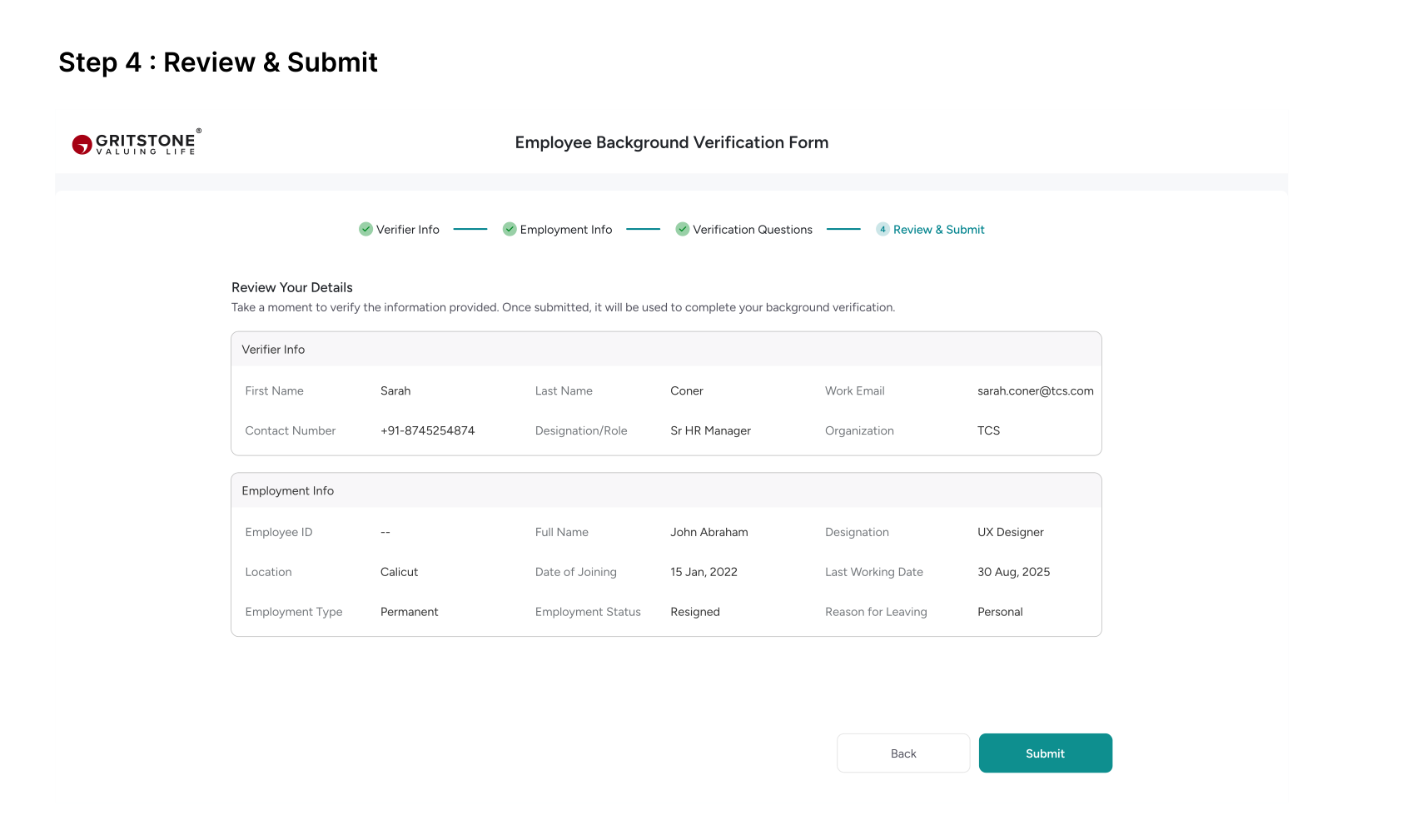
Once the HR team sends the background verification form to the external HR using the POC details provided by the candidate, the external HR receives a form link via email. They complete and submit the form, enabling our HR team to proceed with and finalize the background verification of the newly hired candidate.
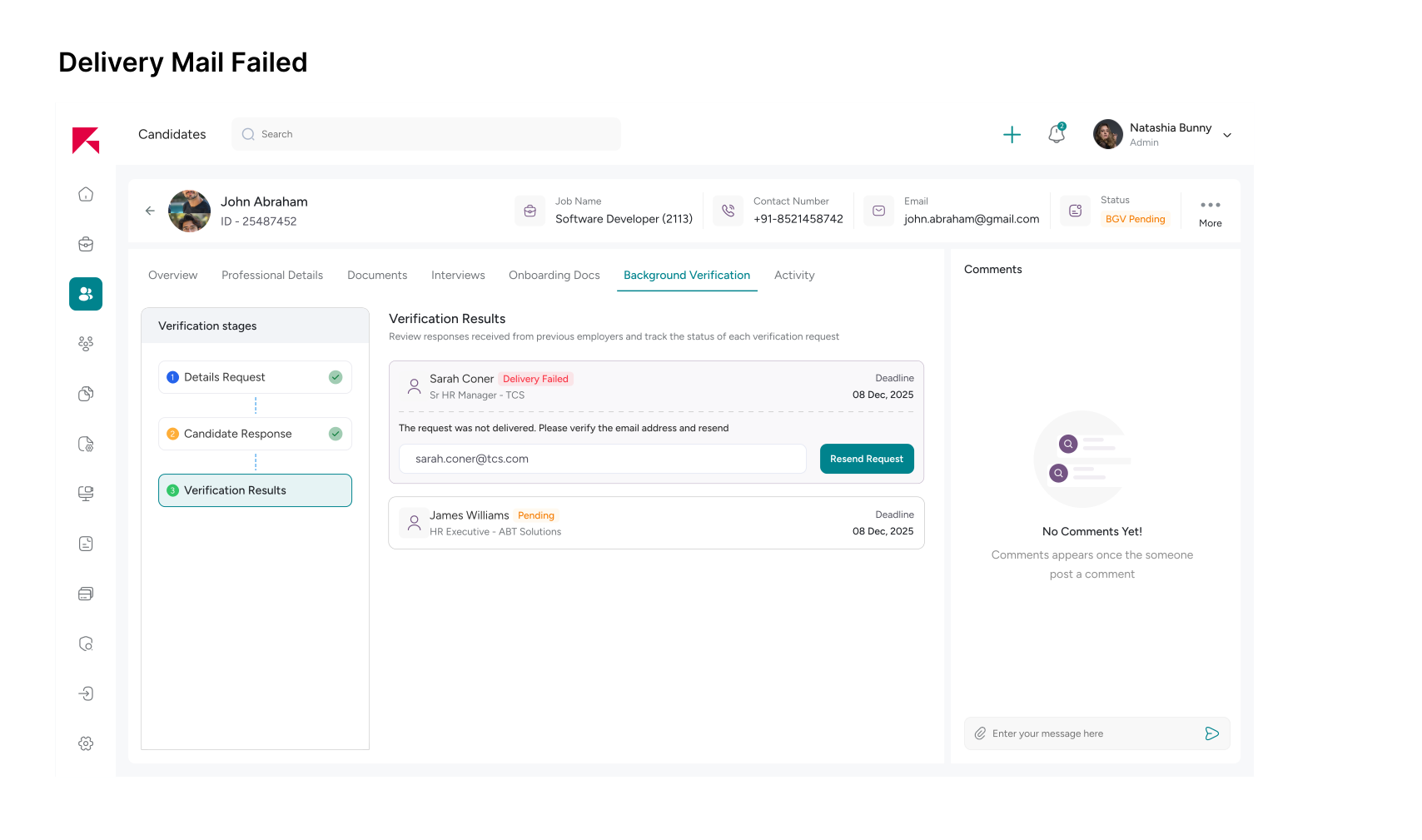
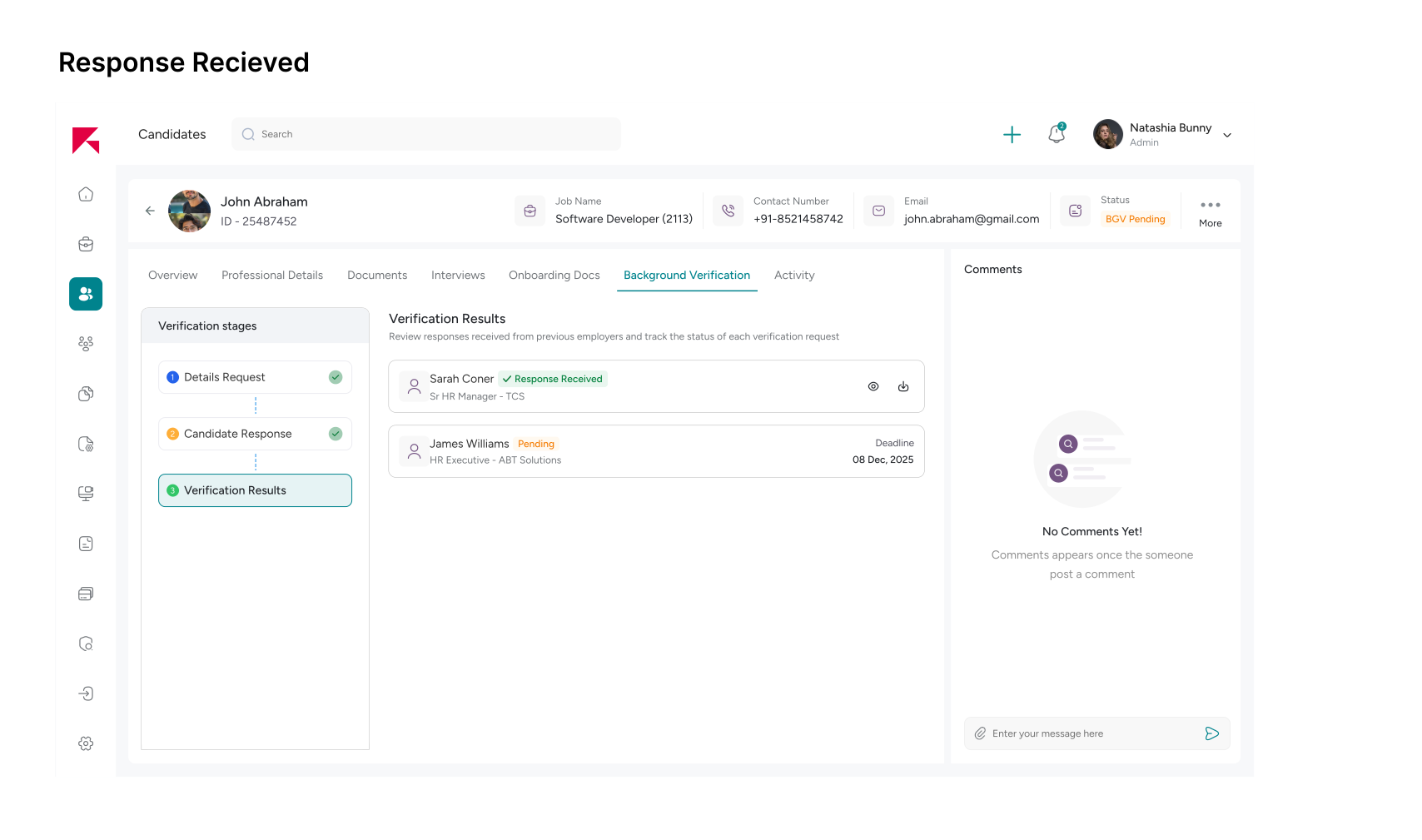
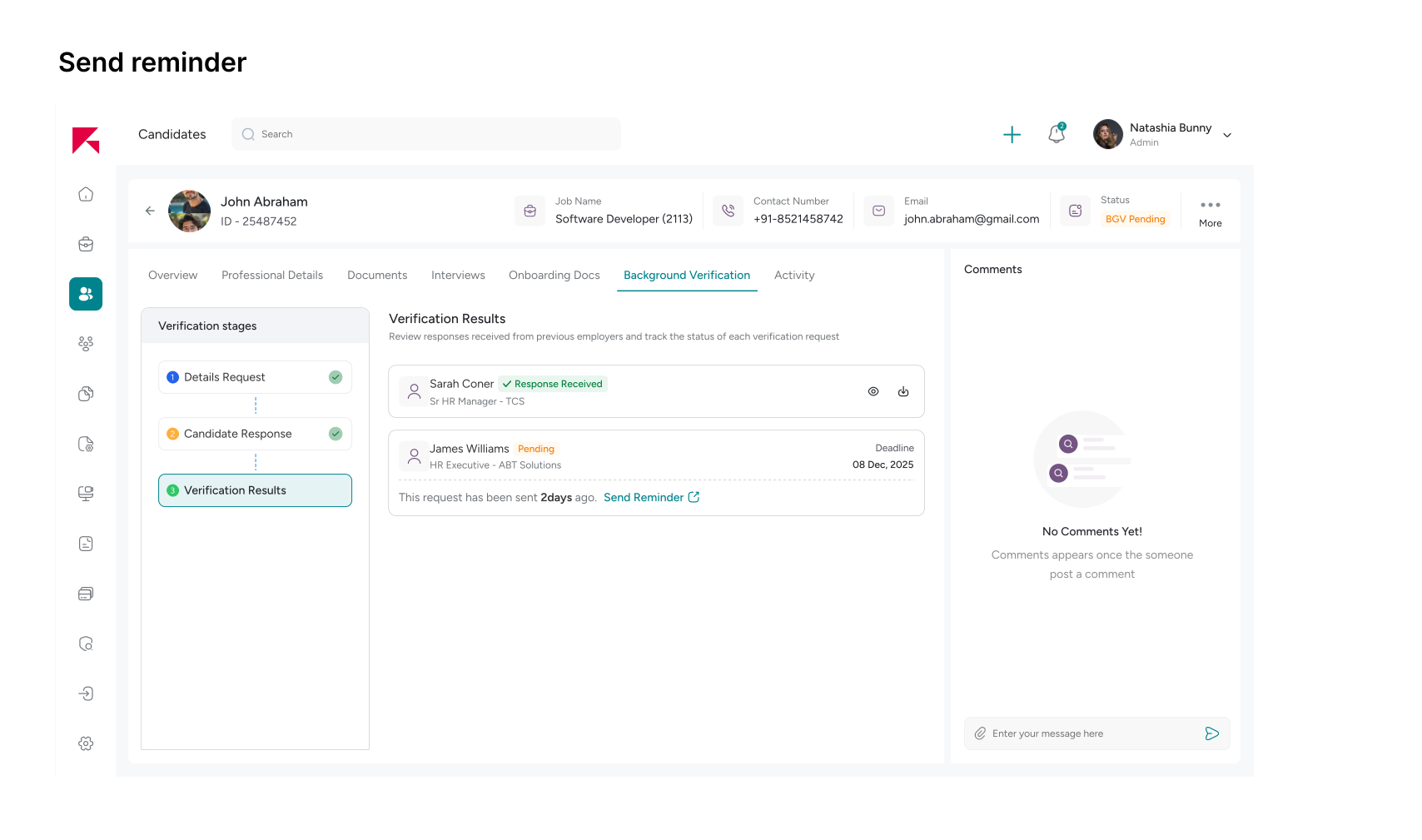
Verification stages
There can be multiple situations during the verification process — the form may be sent but not yet completed, the delivery email might fail, or the POC may have already submitted the response. We explored different status states to help HR teams clearly understand the current progress of each request.
Designs: Exit Documentation Requests
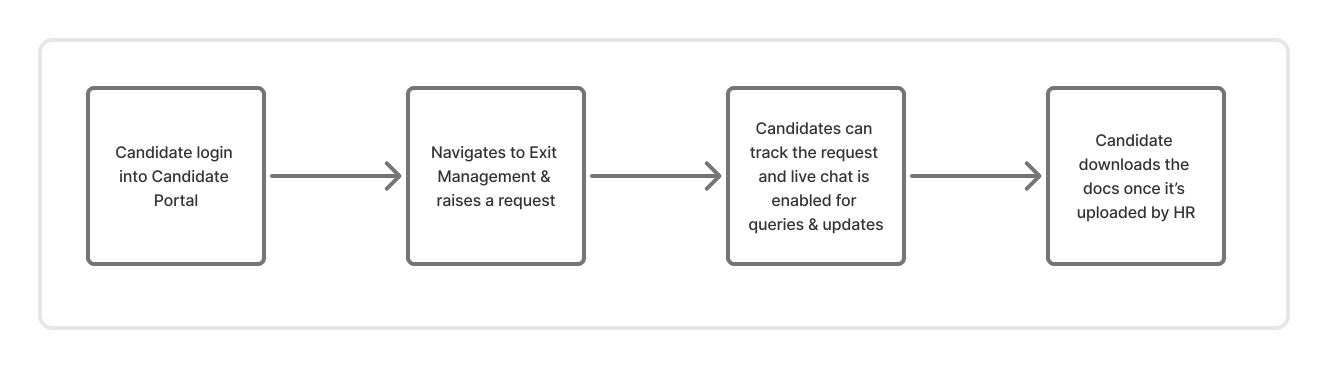
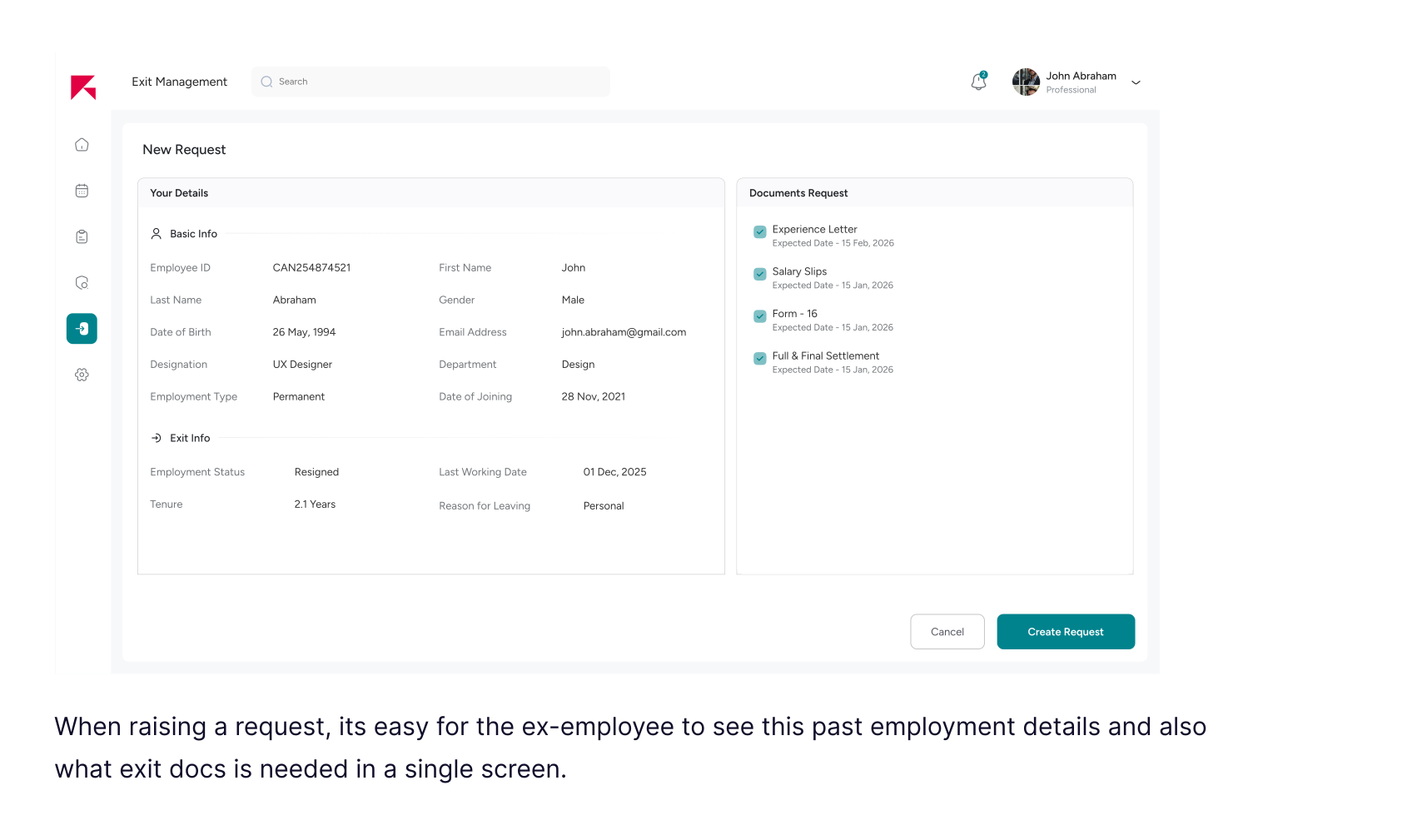
When designing the Exit Request screen for the candidate portal, I realized this wasn’t just about selecting documents — it was about reassurance.
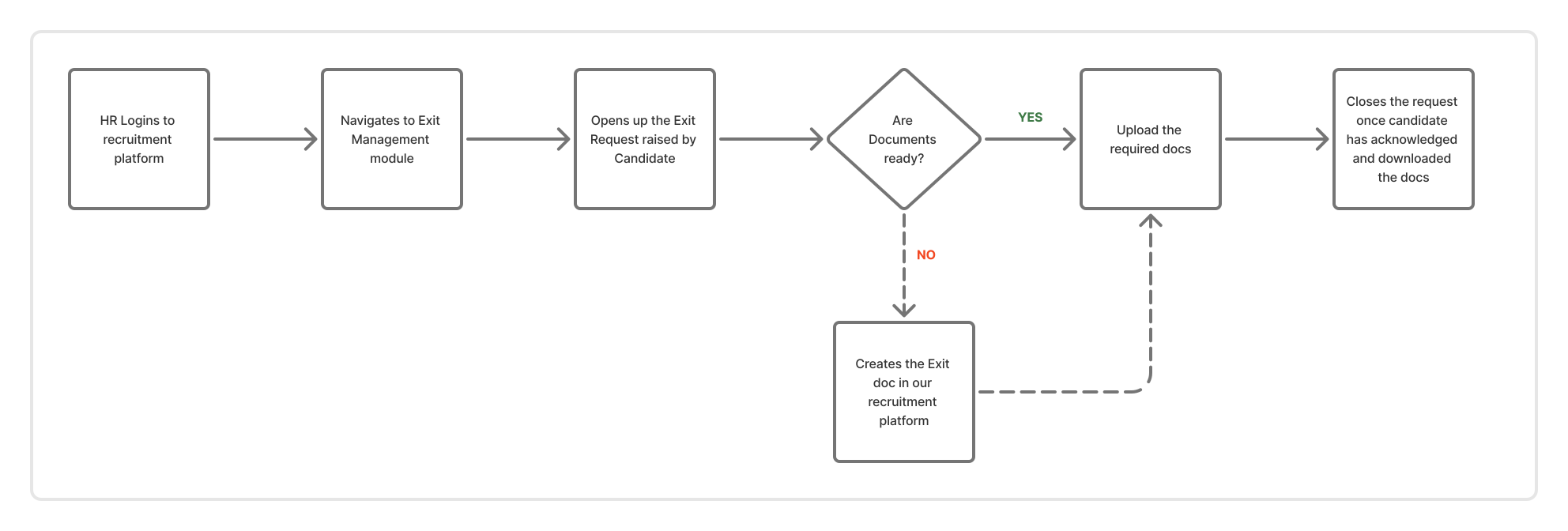
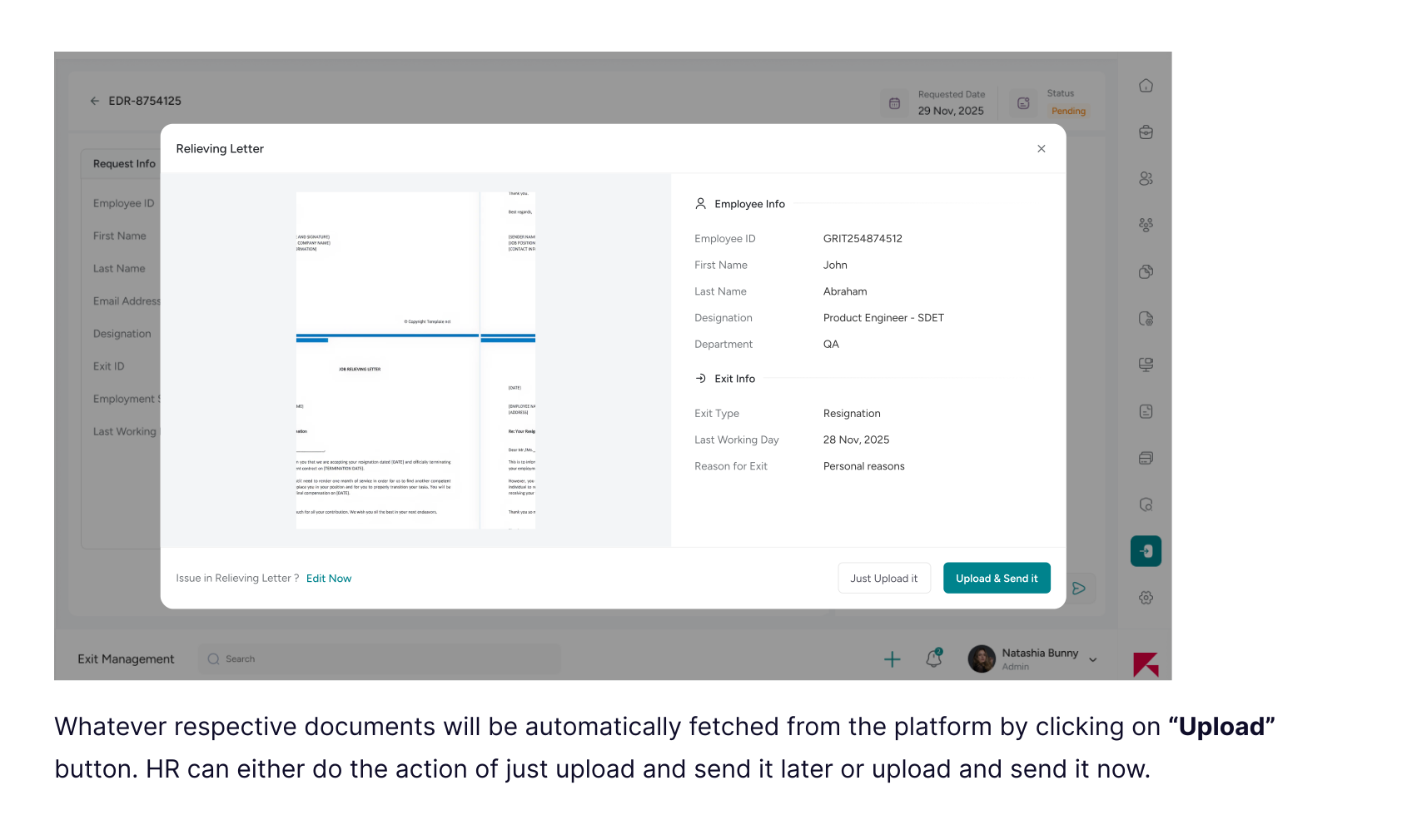
HR Reviews the Request & Uploads Exit Documents
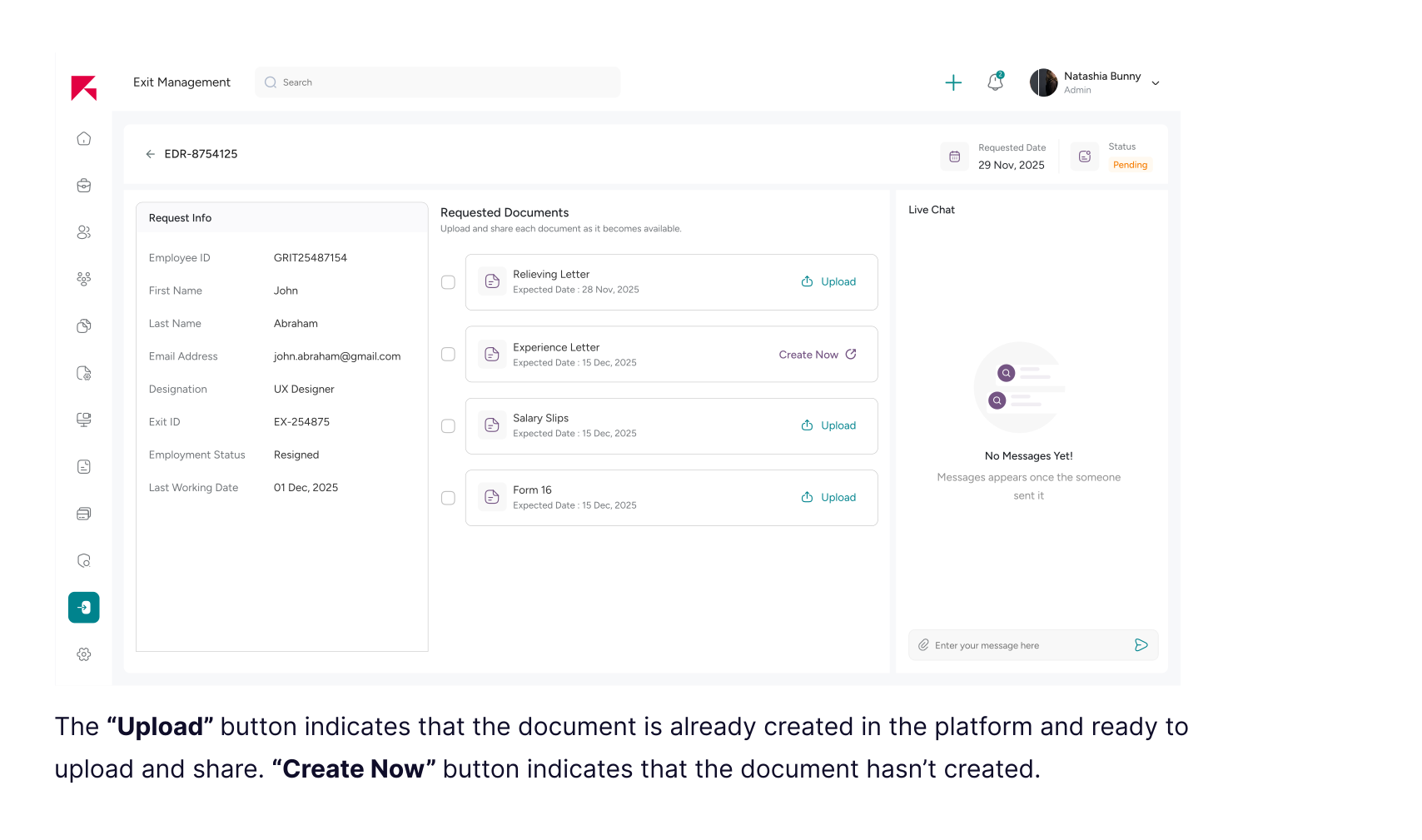
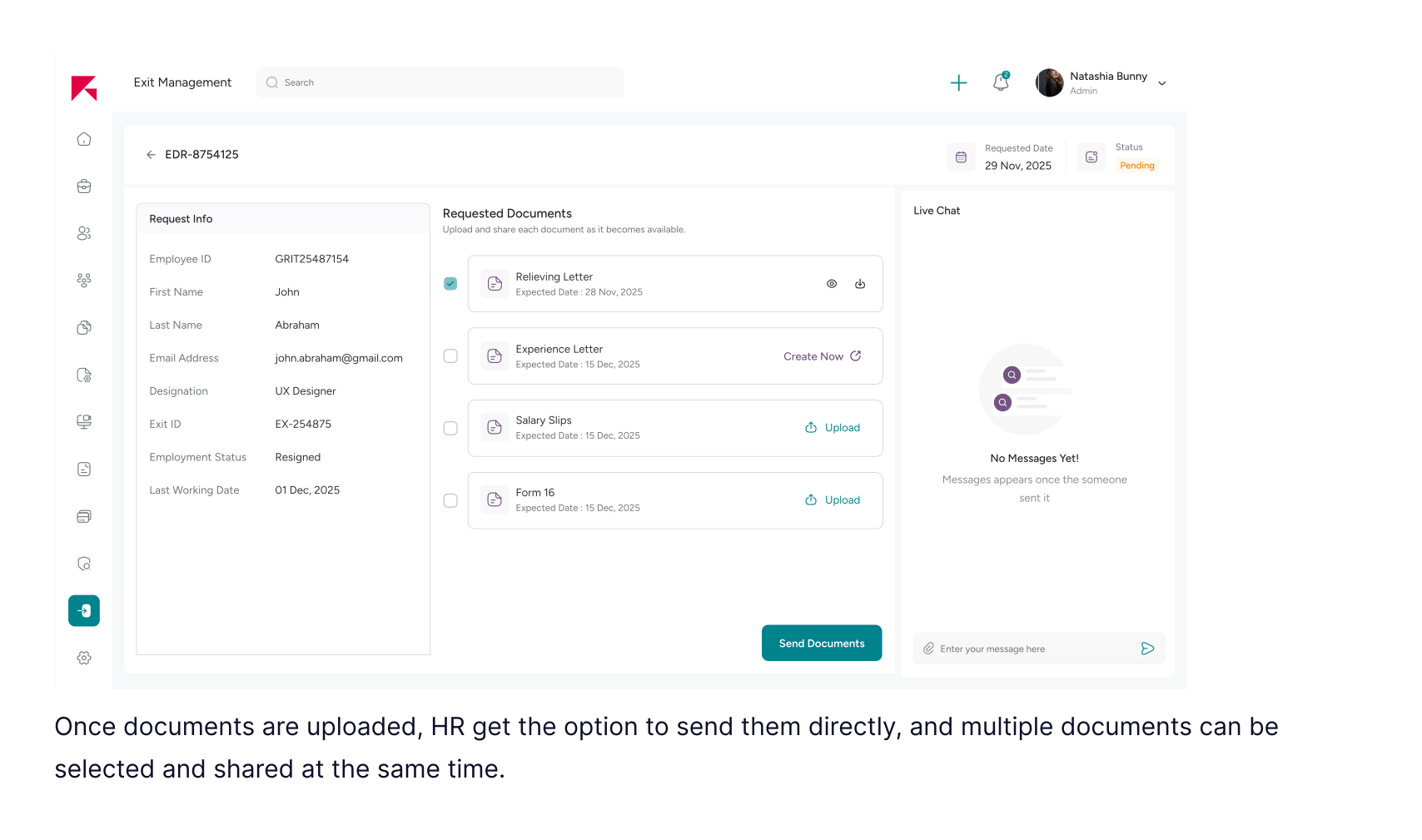
Why checkbox across each document?
Uploading a document and sending it to the candidate are two different actions. HR may want to upload a file first and review it before sharing. To support this flexibility, I introduced a checkbox. HR can upload documents freely, and only when they select the required ones does the “Send Email” button appear.
Why Create Now & Upload button?
If a document hasn’t been generated yet, HR sees “Create Now” to generate it instantly within the system. If the document is already prepared or generated externally, the option changes to “Upload.”
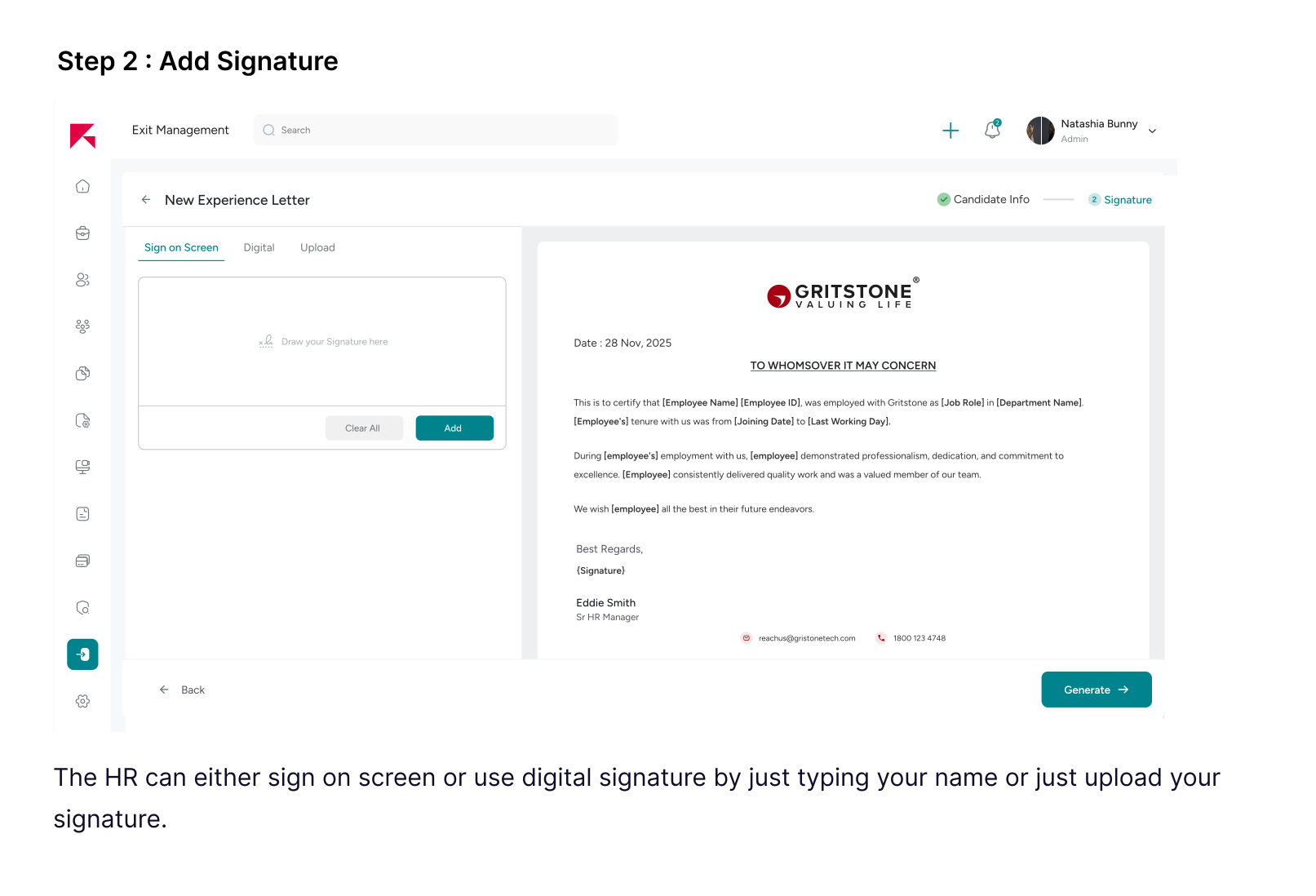
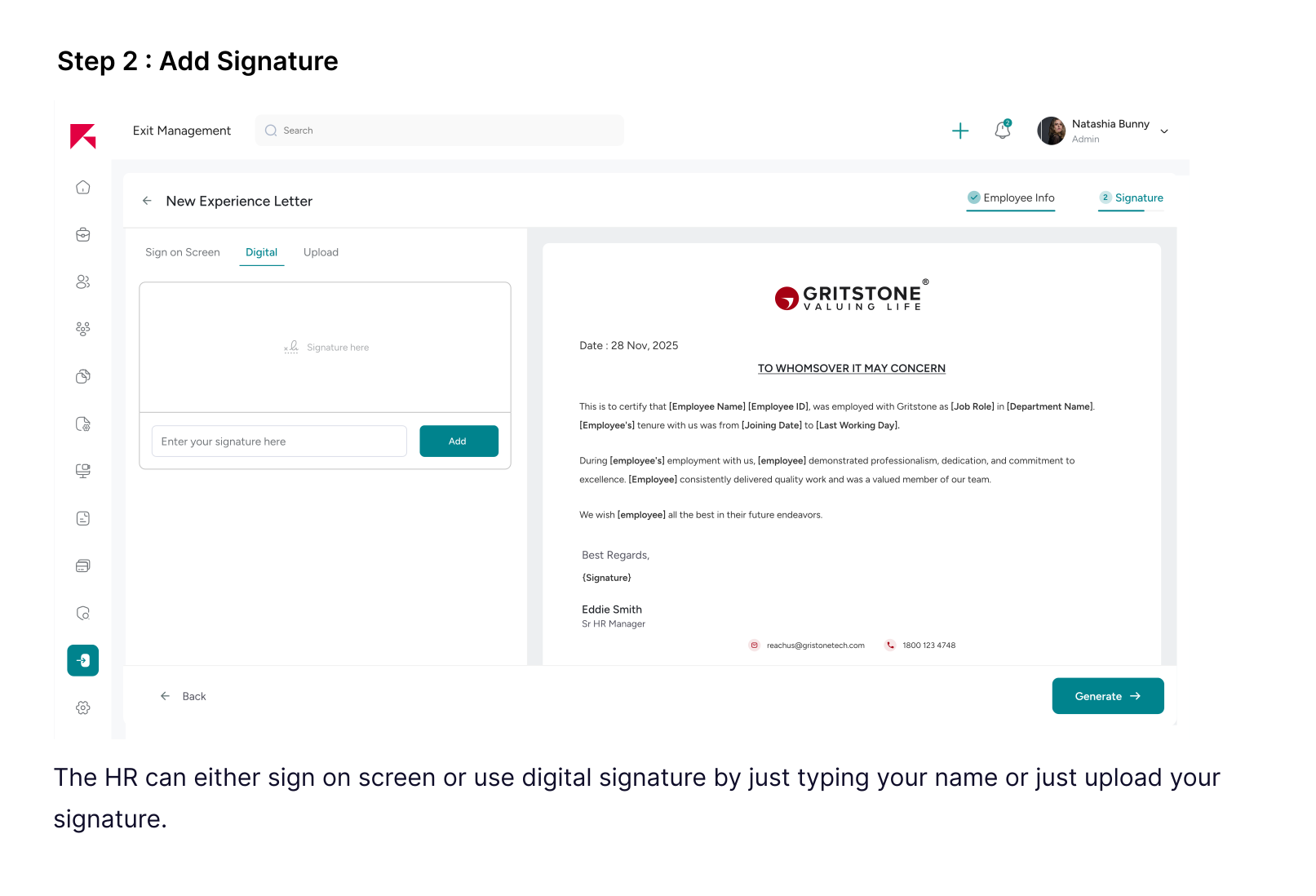
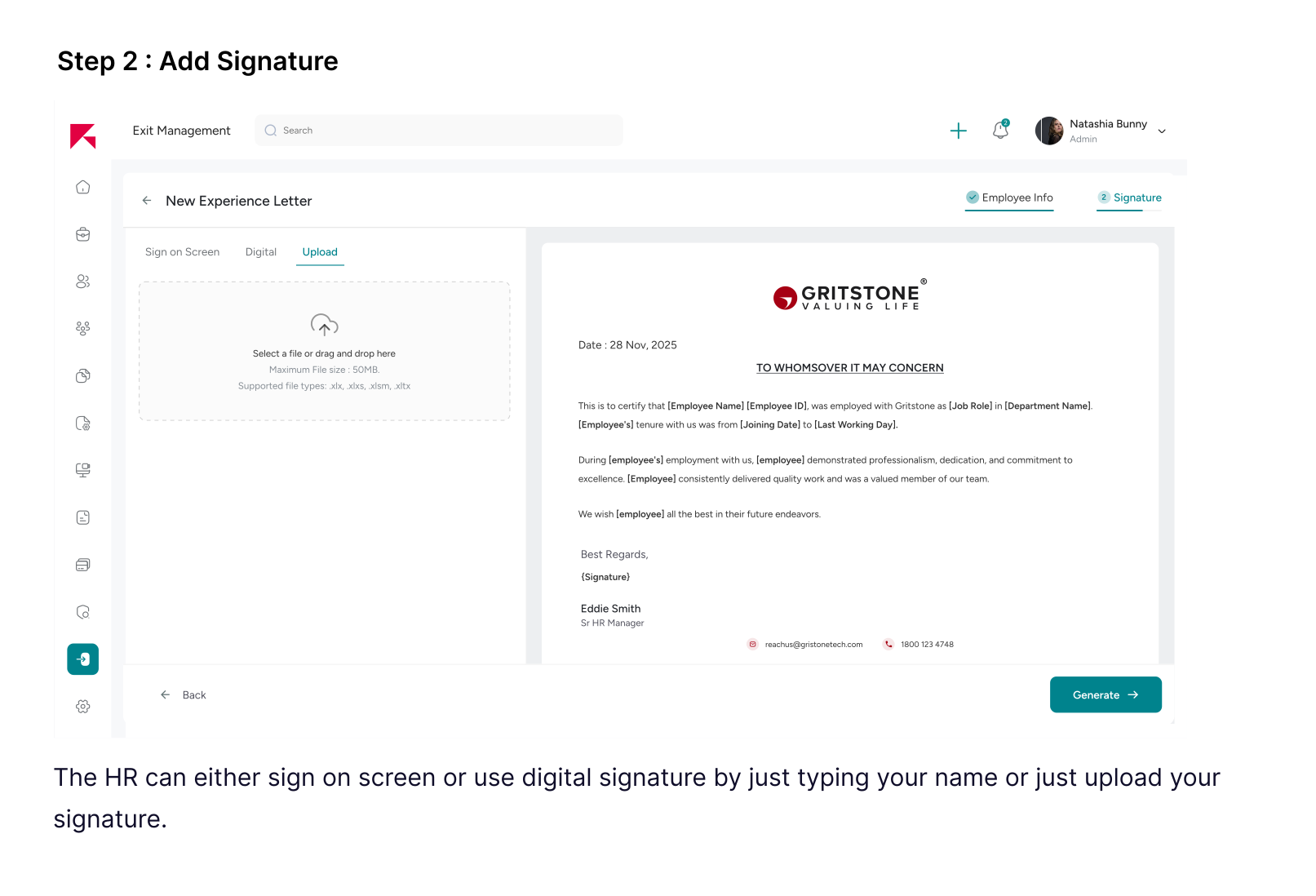
Exit Document creation
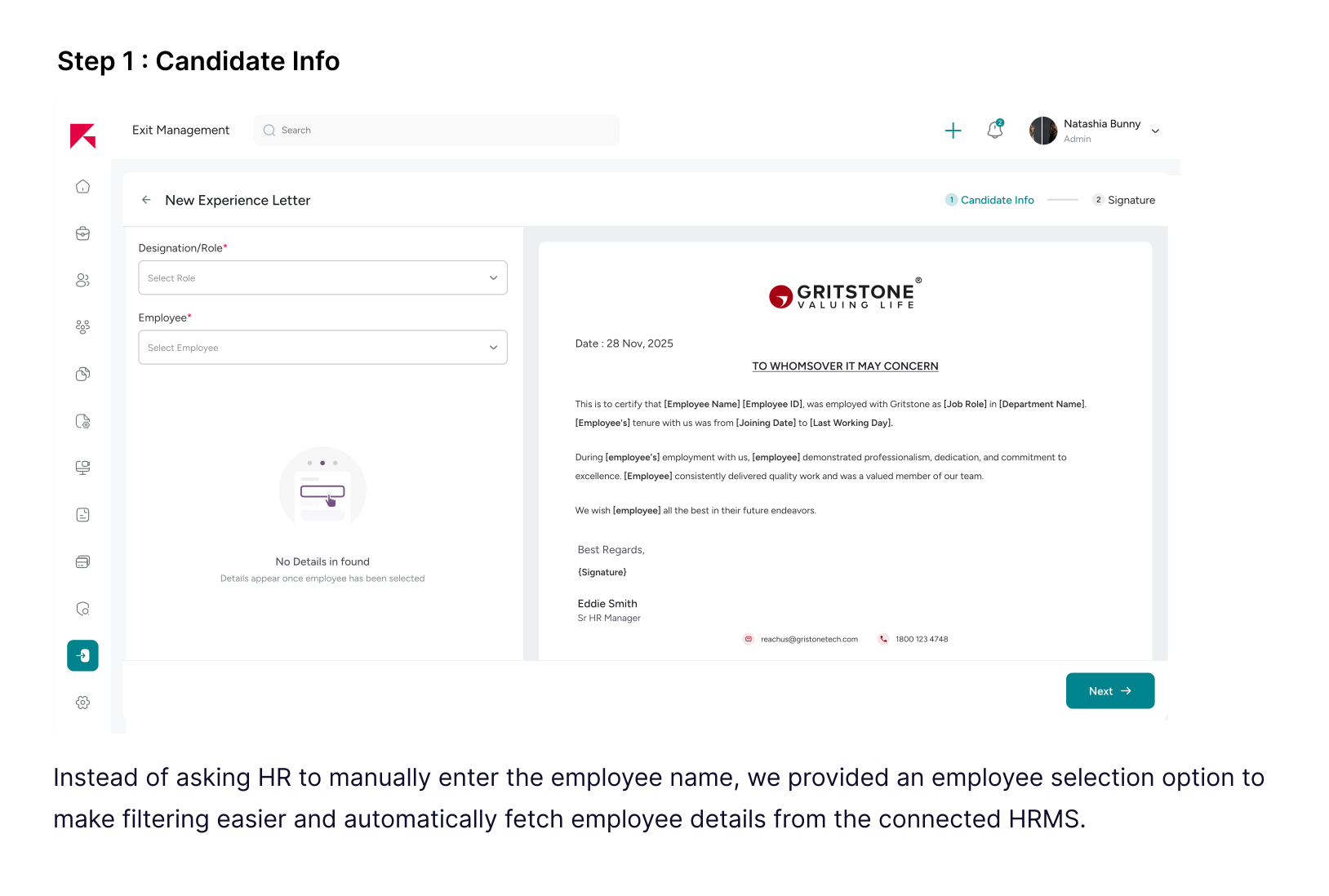
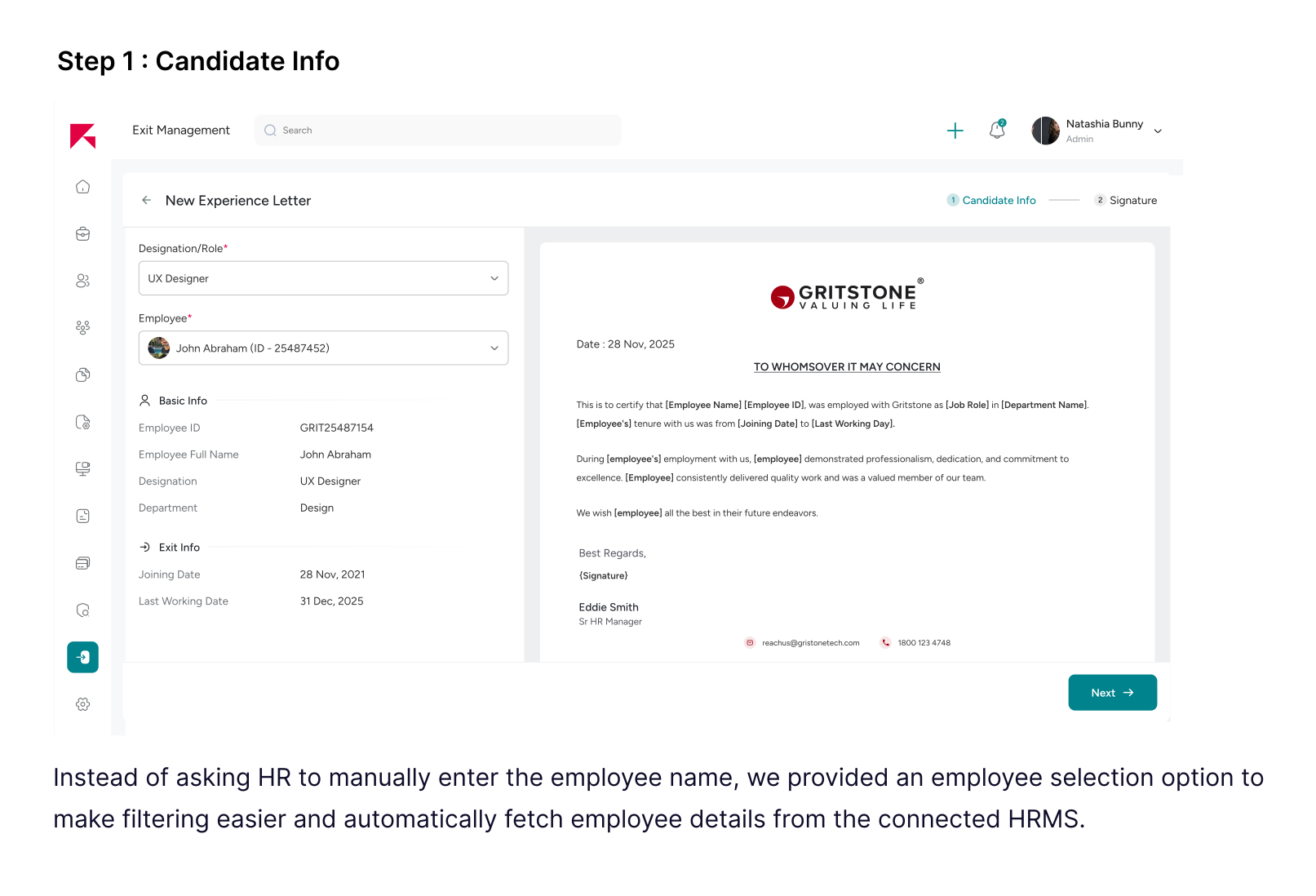
In many cases, exit documents are not readily available when requested. To avoid delays and dependency on external tools, we have enabled for HR teams to create exit documents directly within the platform. This feature allows HR to generate standardized, compliant documents on demand—ensuring faster turnaround and a consistent exit experience for candidates.
Impact
A before–and–after comparison highlighting operational efficiency, reliability, and scalability gains.
Since structured analytics weren’t implemented before launch, I reconstructed baseline metrics by auditing past cases and mapping email exchanges, turnaround time, and coordination touchpoints. Post-solution, we compared projected workflow efficiency and coordination dependency reduction.
HR Coordination Efficiency
Average email exchange/case
~60–70% Reduction
Turnaround Time
Average case completion time (days)
~30–40% Faster
Process Reliability
% of cases exceeding SLA
~55–60% Reduction